Product outline
Product Manual
Community(0)
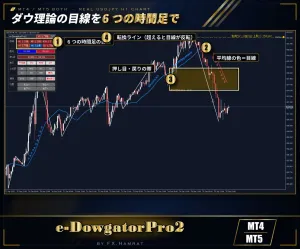
MT4/MT5両方入り 初心者必見 ダウ理論の目線を6つの時間足で表示|パネル・押し目の帯・通知機能【e-DowgatorPro2】
MT4・MT5の両方入り。ダウ理論の目線を6つの時間足ぶんパネルに表示。v1.10で押し目・戻りの目安ゾーンを追加
Sales Result 0 items
Reviews ★ 0.0
(0)
Keywords:
Category:
How to provide:
Indicator
Sales from:
09/25/2026
Last Updated:
09/28/2026
Version:
1.11
Web Authentication:
Enable
Available company:



商品概要
ダウ理論の目線(上昇・下降)を、M1〜D1 の6つの時間足ぶんパネルにまとめて表示するインジケーターです。MT4版・MT5版の両方が入っています。
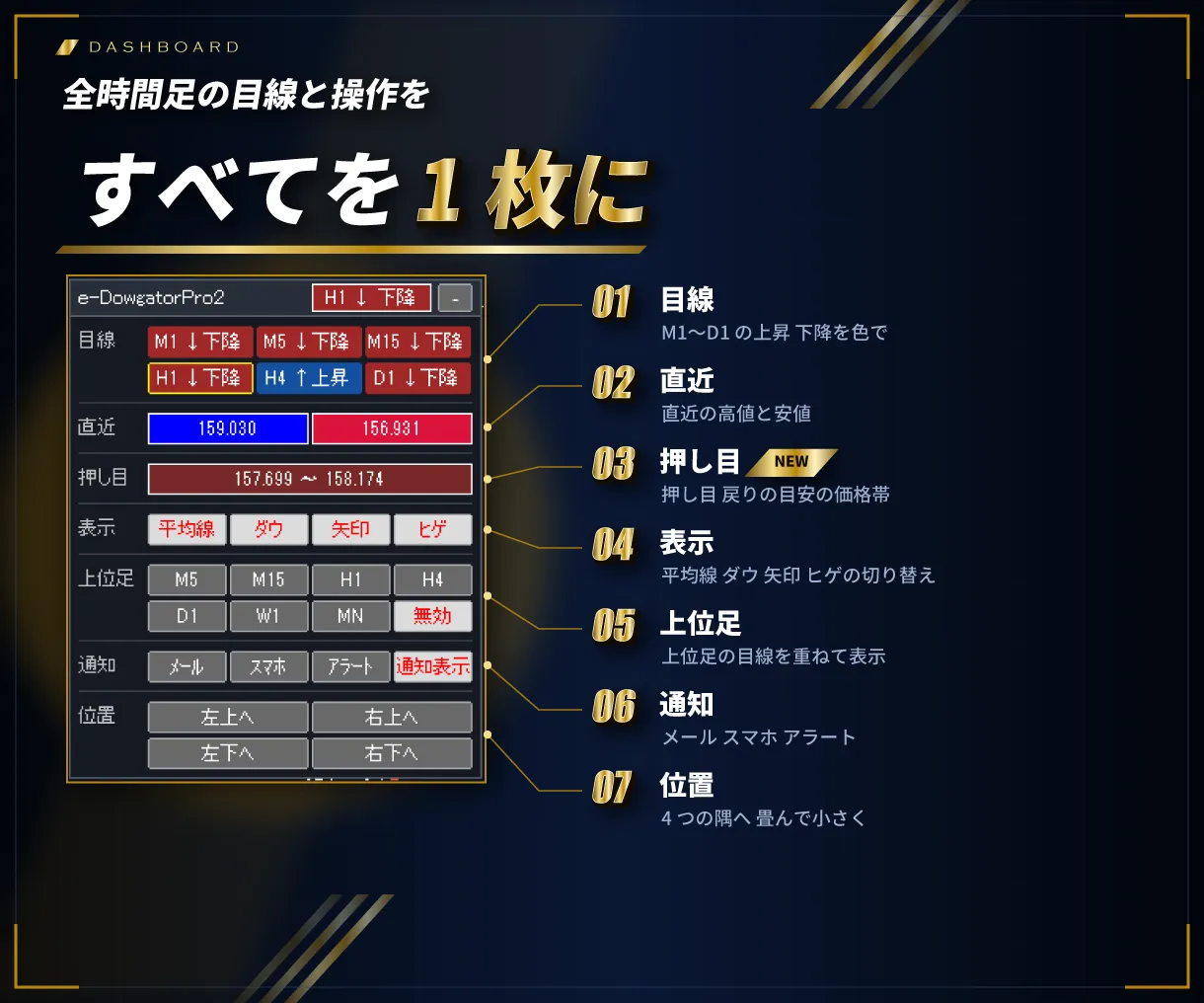
e-DowgatorPro2 は、ダウ理論の山と谷を自動で結んで目線を判定し、M1・M5・M15・H1・H4・D1 の目線を1つのパネルに並べます。青なら上昇目線、赤なら下降目線。時間足を切り替えなくても、全体の向きがひと目で分かります。
導入すると変わること
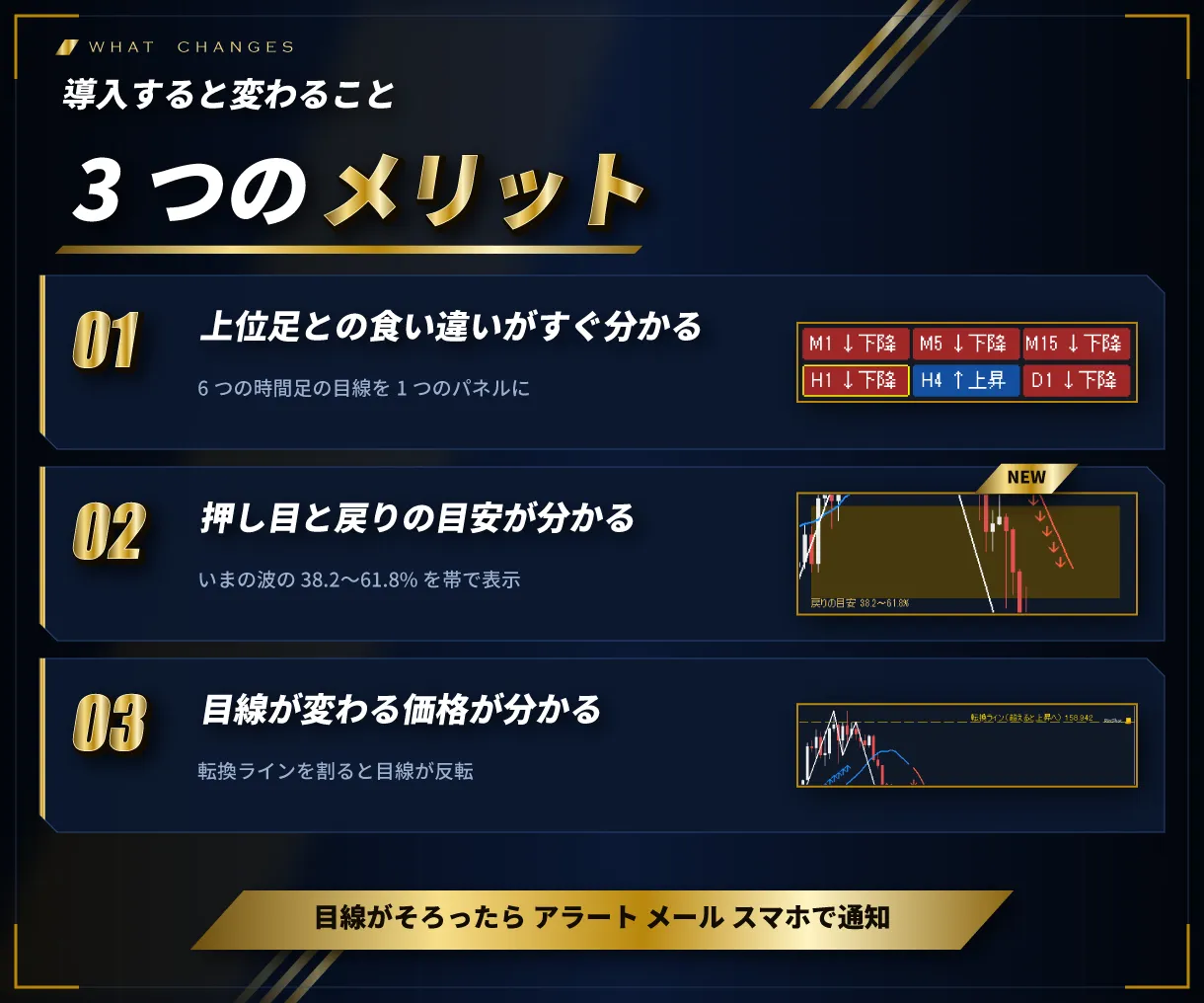
- 上位足との食い違いがすぐ分かる:例:M1〜H4 は上昇、D1 だけ下降。パネルを見るだけで分かるので、上位足と逆向きの取引を避けやすくなります
- 目線が変わる価格が分かる:転換ライン(黄色の点線)を抜けると目線が反転。どこで考えを切り替えるかを先に決められます
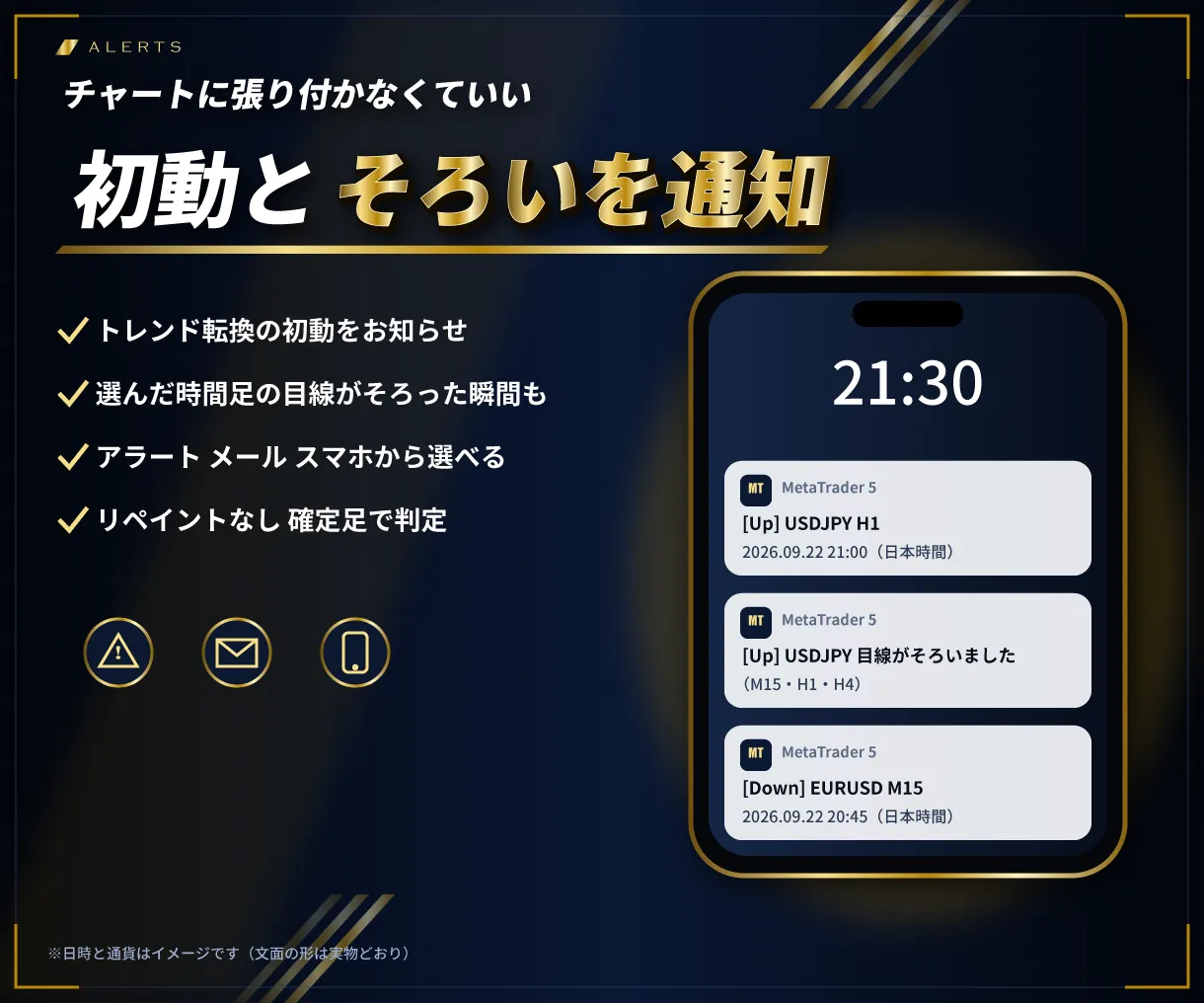
- チャートに張り付かなくていい:選んだ時間足(例:M15・H1・H4)の目線がそろった瞬間を、アラート・メール・スマホでお知らせします
v1.10 の新機能
- 押し目・戻りの目安ゾーン:いまの目線の波に、フィボナッチ 38.2〜61.8% の帯を表示(範囲は入力で選べます)
- 転換ライン(撤退の目安)と組み合わせて、入る目安と撤退の目安が1枚のチャートで分かります
- ダッシュボードに「押し目」の行(帯の価格帯)
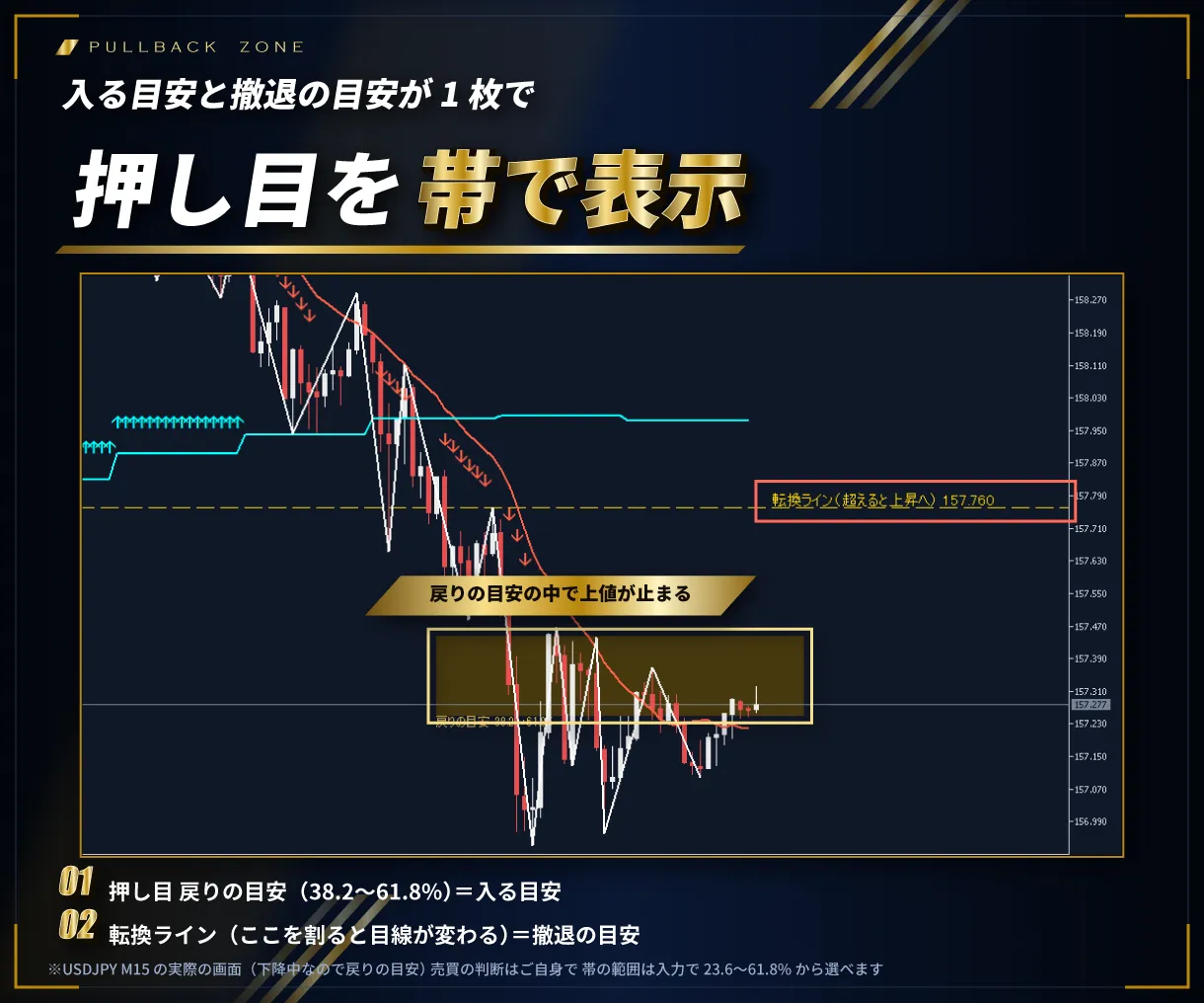
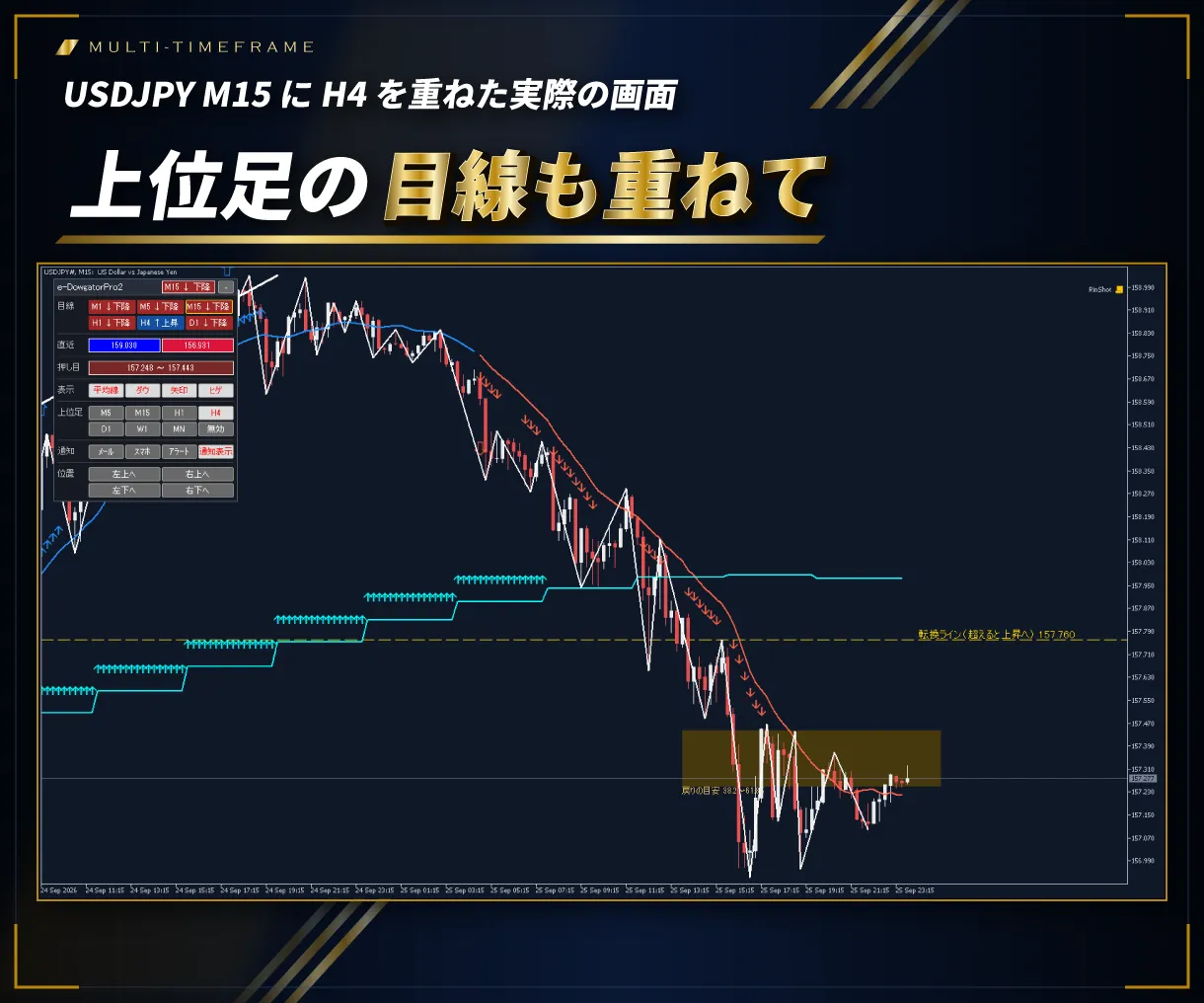
実際のチャートで見る機能


主な機能
- パネル:M1〜D1 の目線(青=上昇目線・赤=下降目線)と操作ボタンをパネルに。見出しをつかんでマウスで移動でき、[-]で折りたたんで縮小化できます
- 転換ライン:上昇中は「この安値を下抜けたら下目線」、下降中は「この高値を上抜けたら上目線」のレートを黄色の点線で表示
- 通知機能:選んだ時間足(上位足)の目線がすべて同じになった瞬間に1回だけ
- ダウ理論のライン:高値・安値の山と谷を自動で見つけて線で結びます。山・谷と認める本数、ヒゲ・実体のどちらで判定するかを選べます
- 目線の移動平均線と矢印:上昇中は青、下降中は赤。山や谷を抜けた足に矢印。トレンド転換の初動には大きな矢印サイン
- 上位足を表示(MTF):今のチャートに上位足(M5〜MN)の目線を同時に表示。例:M5 のチャートに H1、H1 のチャートに D1(マルチタイムフレーム分析)
- お知らせ:転換の初動と、目線のそろいを、アラート・メール・スマホ(MT4 アプリのプッシュ通知)で
- 全通貨ペア・全時間足に対応
使い方は3ステップ
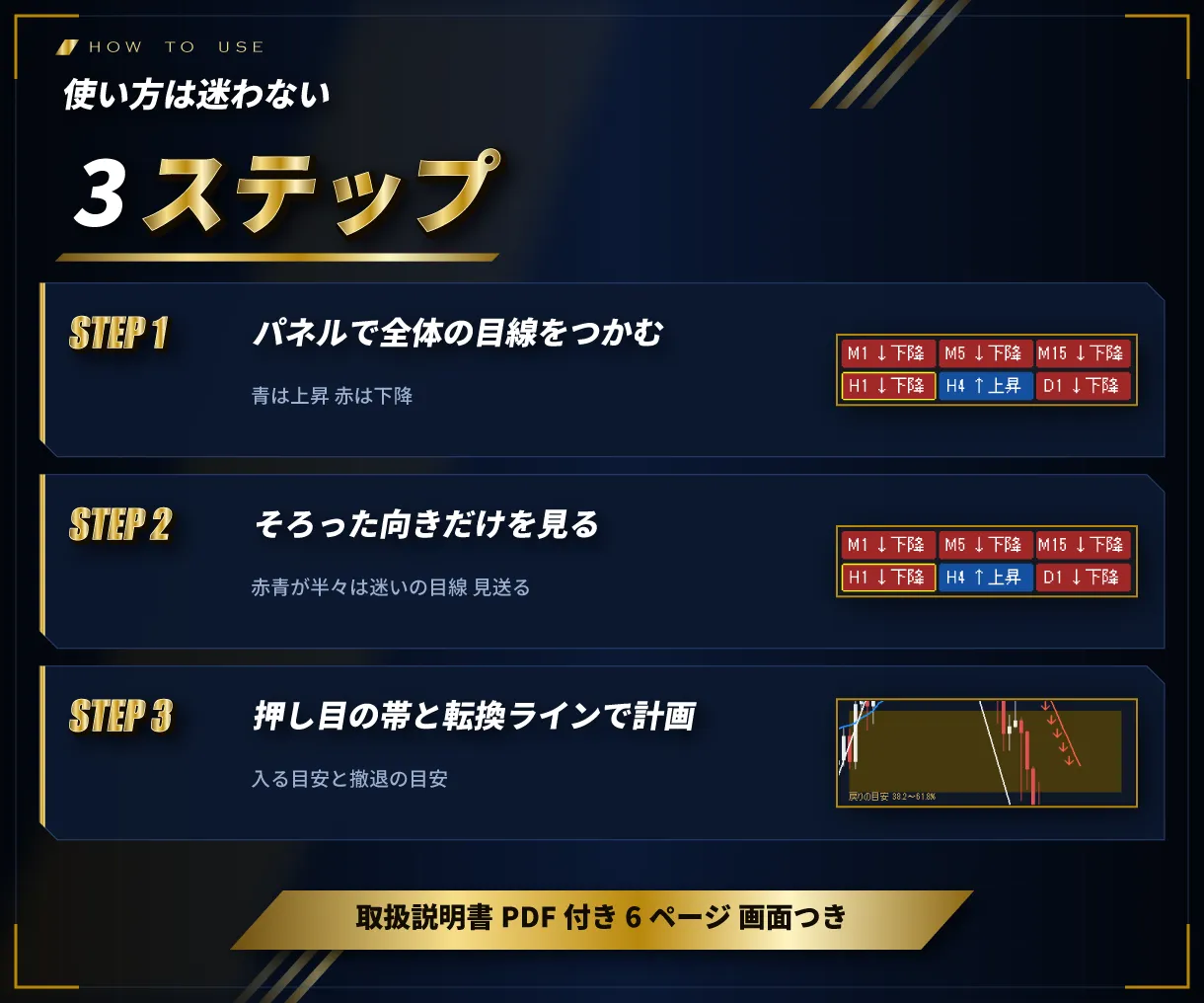
- パネルで全体の目線を把握する
- 監視する時間足が同じ目線の方向だけを見る(赤青が半々は迷いの目線。見送る)
- 押し目(戻り)の帯まで待ち、転換ラインを撤退の目安にする
※売買の判断は、ご自身の責任で行ってください。
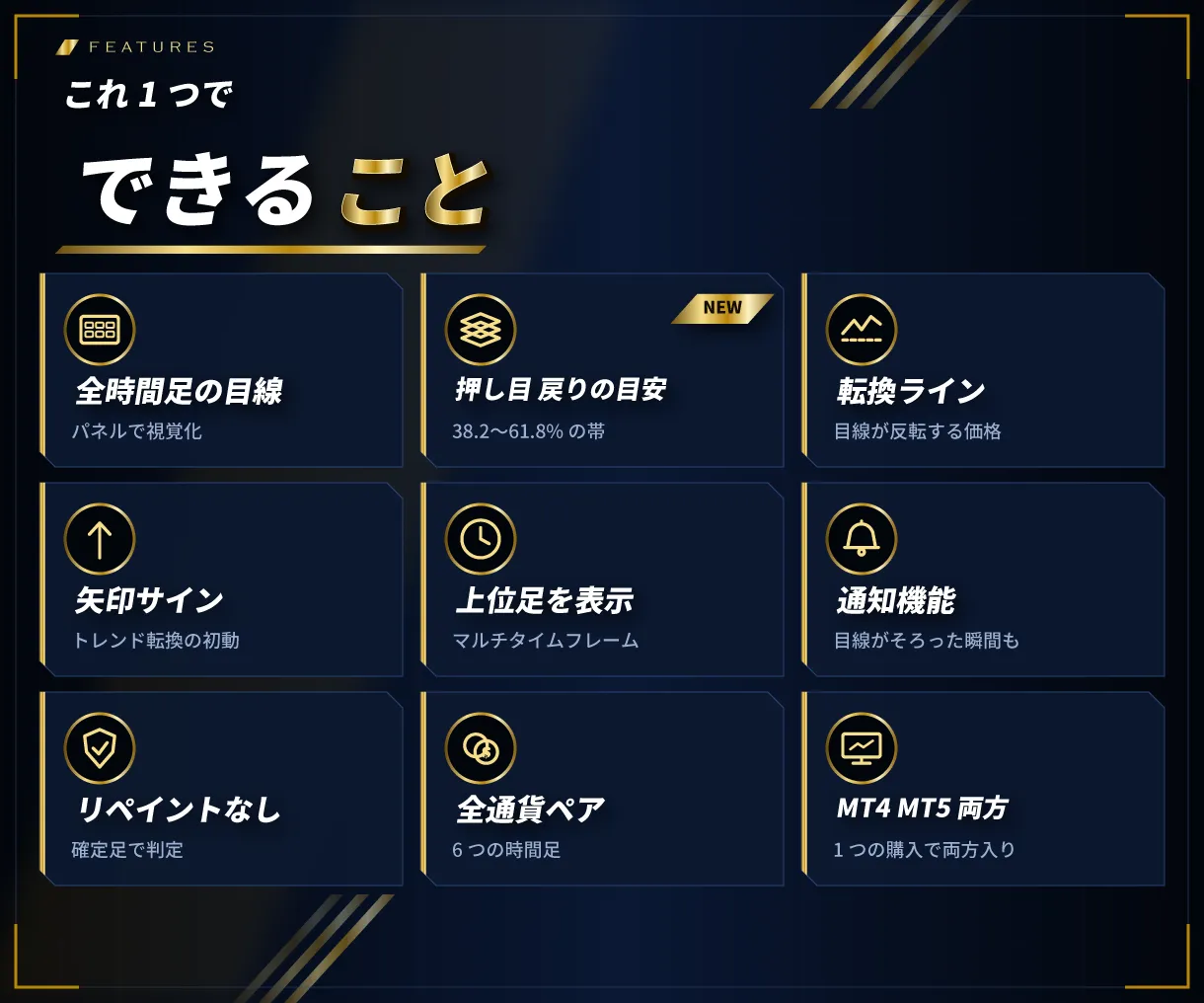
できること
お知らせ
1本前の足で目線が反転したとき(新しい足ができた瞬間)と、選んだ時間足の目線が同じになった瞬間にお知らせします。方法はパネルのボタン(メール・スマホ・アラート)で選べます。
使い方の例
- パネルで上位足と今の足が同じ目線のときだけ、押し目・戻りを待つ
- 転換ラインを損切りの目安にする
- 矢印が出ていない時間は、トレンドの乏しい相場として様子を見る
※売買の判断は、ご自身の責任で行ってください。
お届けするもの
- インジケーター本体(MT4 用 ex4・MT5 用 ex5 の両方)
- 取扱説明書(PDF・MT4 版と MT5 版・6ページ・画面つき。入れ方から設定、よくある質問まで)
ご購入から使えるまで
- ゴゴジャンでご購入のあと、マイページから zip をダウンロード
- zip の中の「MT4版」か「MT5版」のフォルダから、お使いの MetaTrader に合う本体を「Indicators」フォルダへ置く
- チャートに入れ、「DLL の使用を許可する」にチェック
- お使いの口座が自動で登録され、表示が始まります
動作環境・ご利用の条件
- MT4・MT5(Windows 版)で動きます。1つの zip に両方入っています。Mac 版・スマホ版では動きません
- ゴゴジャンの WEB 認証で動きます。使えるのは登録した口座1つです(リアル・デモどちらでも)。口座の変更はマイページからできます
- 認証のため、インターネットへの接続と「DLL の使用を許可する」のチェックが必要です
- 投資家パスワード(読み取り専用)でログインした口座では動きません
- ファイル名(末尾の英数字を含む)は変えないでください
バージョン情報
最新バージョン:Ver 1.10(2026年9月26日)
- 押し目・戻りの目安ゾーンを追加。MT4 版と MT5 版を1つの商品にまとめました
注意事項・免責事項
- 本商品は、相場の状態を表示するインジケーターです。投資の助言・勧誘を目的としたものではなく、利益を保証するものではありません
- 本商品を使って生じた損失・損害について、販売者は責任を負いかねます。投資の判断はご自身の責任で行ってください
- 商品の性質上、ご購入後の返品・キャンセルはお受けできません
- 複製・改変・第三者への譲渡や販売・解析は禁止します
サポート
ご不明な点は、マイページの「出品者に質問する」からお問い合わせください。更新があったときは、無料でお使いいただけます。
¥6,000 (taxed)
Provider/Distributor:
Sales site:
GogoJungle
●Payment





Product outline
Product Manual
Community(0)
Best Seller Ranking
Recommended Products (Campaigns)
For those using GogoJungle for the first time Easy 3 steps to use the product!
At GogoJungle, we provide services to enrich your investment life for our members. In addition, product purchases are limited to members. Why not register as a member now and make use of GogoJungle!
01
Enter user information and register as a member
02
Follow the instructions to make a purchase
03
Download from My Page
