
MT4 ダウ理論の目線がひと目でわかるMTF対応|パネル・転換ライン・通知機能【e-DowgatorPro2】

Product outline
Product Manual
Community(0)
MT4 ダウ理論の目線がひと目でわかるMTF対応|パネル・転換ライン・通知機能【e-DowgatorPro2】 Indicators/E-books
MT4 ダウ理論の目線がひと目でわかるMTF対応|パネル・転換ライン・通知機能【e-DowgatorPro2】
各時間足の目線をパネルに。目線が反転するレートと、上位足が同じ目線になった瞬間をお知らせするダウ理論インジケーター
Sales Result 0 items
Reviews ★ 0.0 (0)
Category:
How to provide:
Indicator
Sales from:
09/24/2026
Last Updated:
09/24/2026
Version:
1.05
Web Authentication:
Enable
Available company:
Seller's last login time: 10/27/2026 10:50:53
Read more seller information

e-DowgatorPro2

商品概要

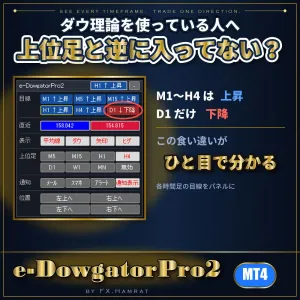
ダウ理論を使っている人へ。上位足と逆に入っていませんか?
M1〜H4 は上昇なのに D1 だけ下降。この食い違いが、パネルを見ればひと目で分かります。

e-DowgatorPro2 は、ダウ理論で相場の目線(上昇・下降)を判定し、チャートに表示する MT4 用のインジケーターです。

いちばんの特長は、M1・M5・M15・H1・H4・D1 の目線を、パネルで同時に見られることです。時間足を切り替えて見て回らなくても、「どの時間足が上昇で、どれが下降か」がひと目で分かります。

あわせて、いまの目線が反転するレート(転換ライン)を黄色の点線で示し、選んだ時間足(例:M15・H1・H4)の目線がそろった瞬間をアラート・メール・スマホでお知らせします。

判定は確定した足だけで行います。確定した足の表示は、あとから書き換わりません。

こんな方に

  • 時間足ごとに目線がばらばらで、どれに合わせればよいか迷う
  • ダウ理論のトレンド転換を、チャートに張り付かずに知りたい
  • どこで目線が反転するのか(損切りや押し目の目安)を、決まったルールで知りたい

主な機能
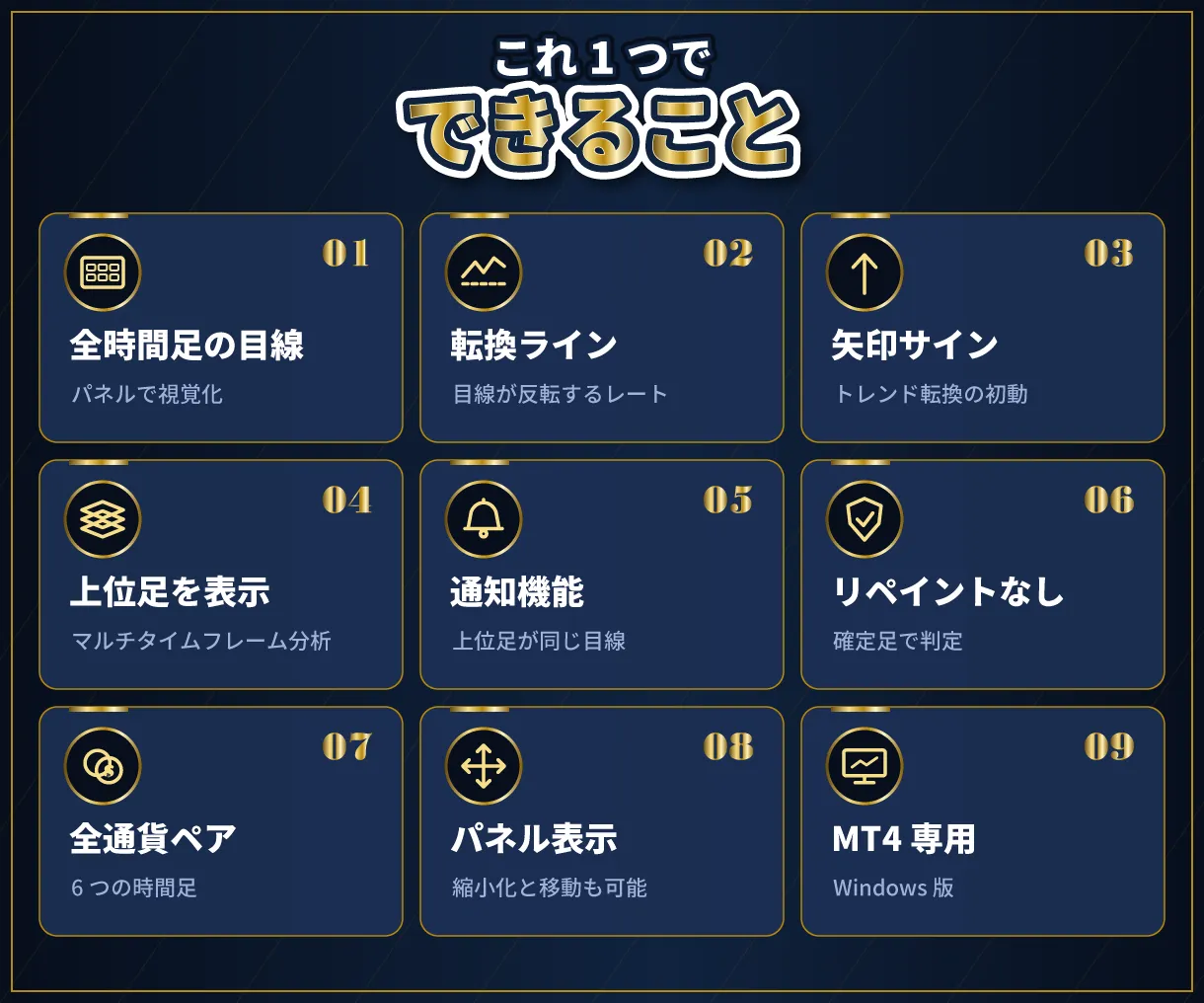
できること

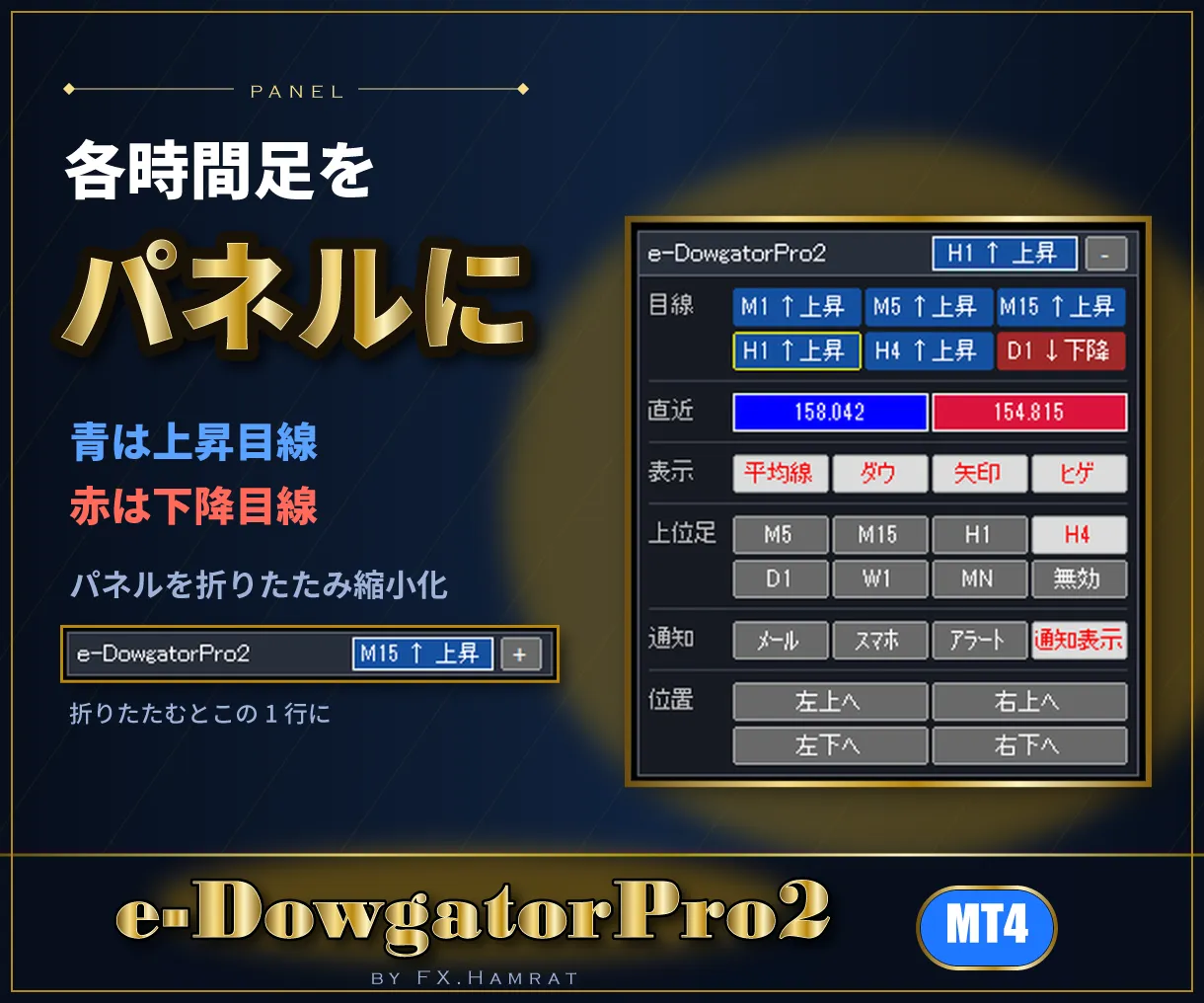
  • パネル:M1〜D1 の目線(青=上昇目線・赤=下降目線)と操作ボタンをパネルに。見出しをつかんでマウスで移動でき、[-]で折りたたんで縮小化できます
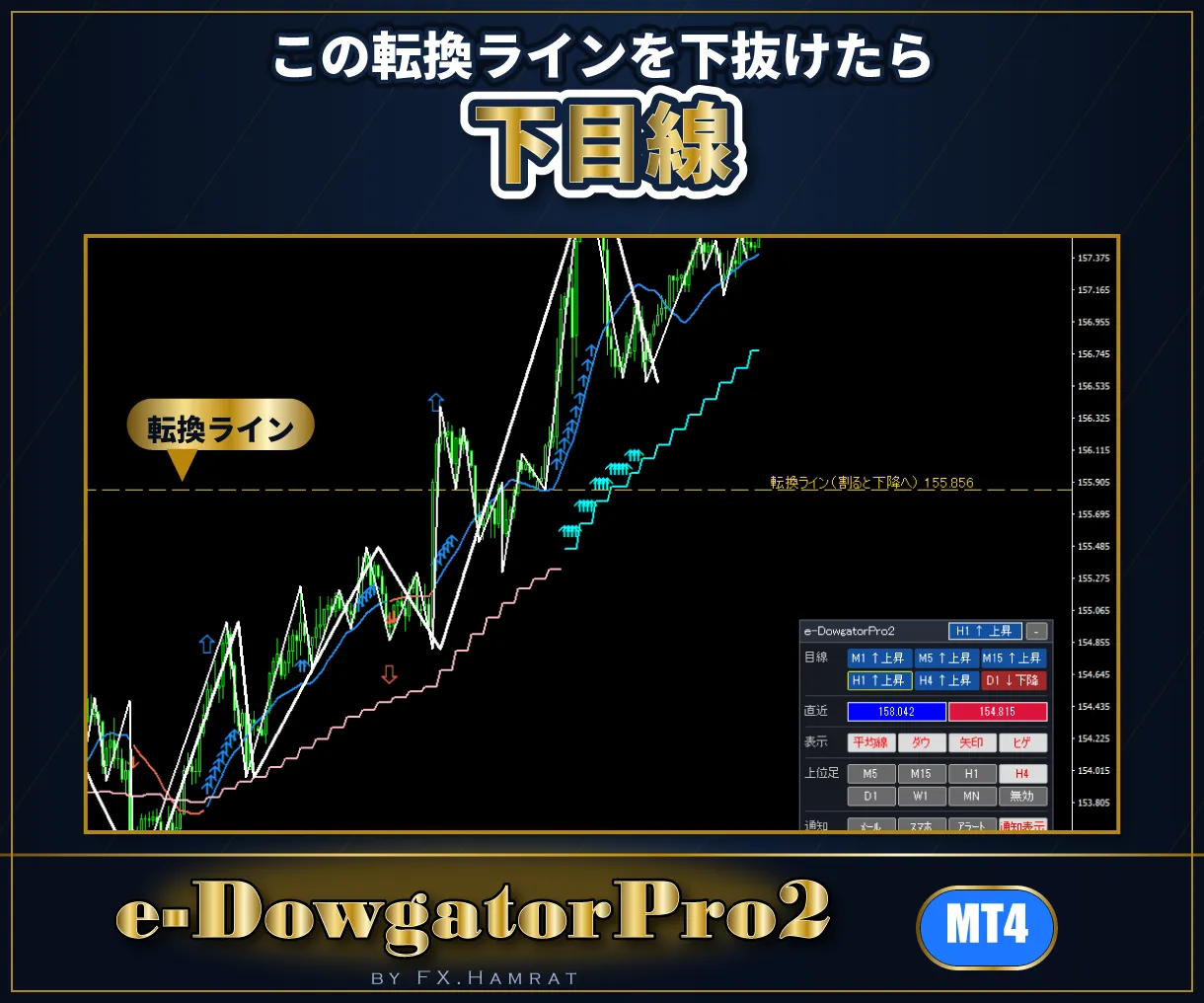
  • 転換ライン:上昇中は「この安値を下抜けたら下目線」、下降中は「この高値を上抜けたら上目線」のレートを黄色の点線で表示
  • 通知機能:選んだ時間足(上位足)の目線がすべて同じになった瞬間に1回だけ
  • ダウ理論のライン:高値・安値の山と谷を自動で見つけて線で結びます。山・谷と認める本数、ヒゲ・実体のどちらで判定するかを選べます
  • 目線の移動平均線と矢印:上昇中は青、下降中は赤。山や谷を抜けた足に矢印。トレンド転換の初動には大きな矢印サイン
  • 上位足を表示(MTF):今のチャートに上位足(M5〜MN)の目線を同時に表示。例:M5 のチャートに H1、H1 のチャートに D1(マルチタイムフレーム分析)
  • お知らせ:転換の初動と、目線のそろいを、アラート・メール・スマホ(MT4 アプリのプッシュ通知)で
  • 全通貨ペア・全時間足に対応

使い方は3ステップ

使い方3ステップ

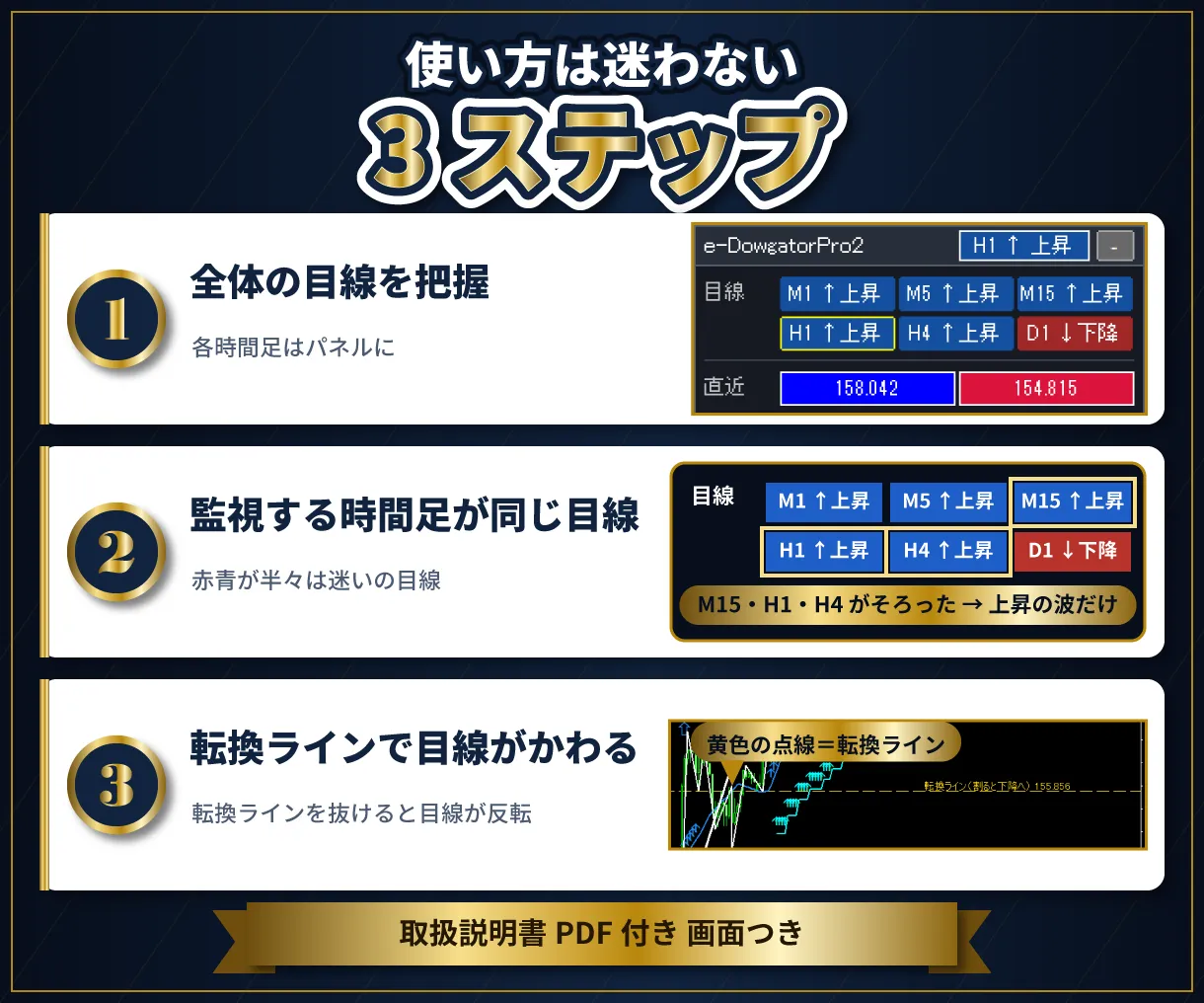
  1. パネルで、全体の目線を把握する
  2. 監視する時間足が同じ目線の方向だけを見る(赤青が半々は迷いの目線。見送る)
  3. 転換ライン(黄色の点線)で目線がかわる。損切りや押し目の目安にする

チャートの表示例

※画像は表示の例です。特定の銘柄の売買を勧めるものではありません。
パネル

各時間足の目線をパネルに並べます。今見ている時間足は黄色の枠で囲みます。折りたたむと1行に縮小化できます。
転換ライン

黄色の点線が転換ラインです。このレートを抜けると、目線が反転します。

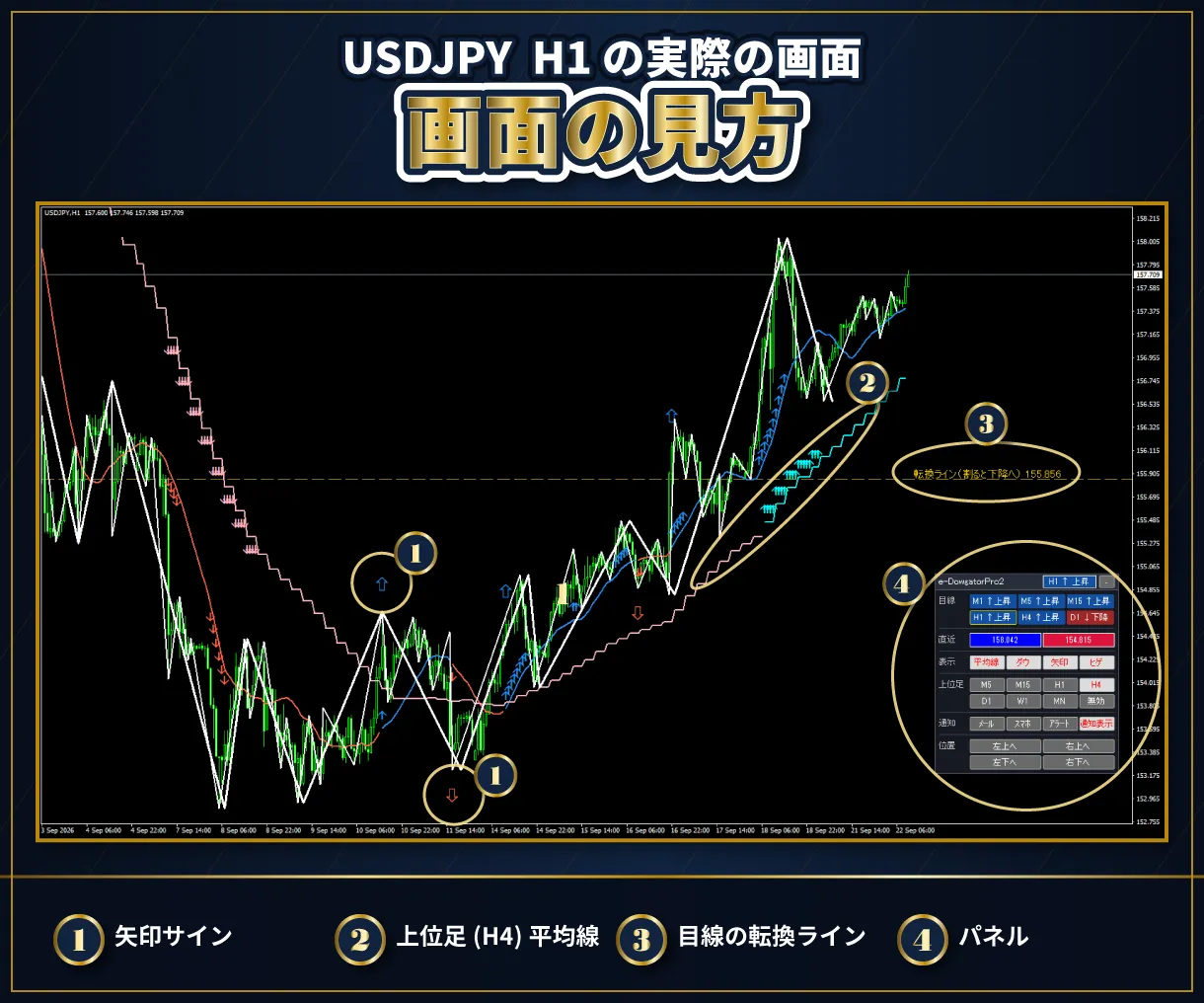
画面の見方 ドル円

① 矢印サイン ② 上位足(H4)の線 ③ 転換ライン ④ パネル

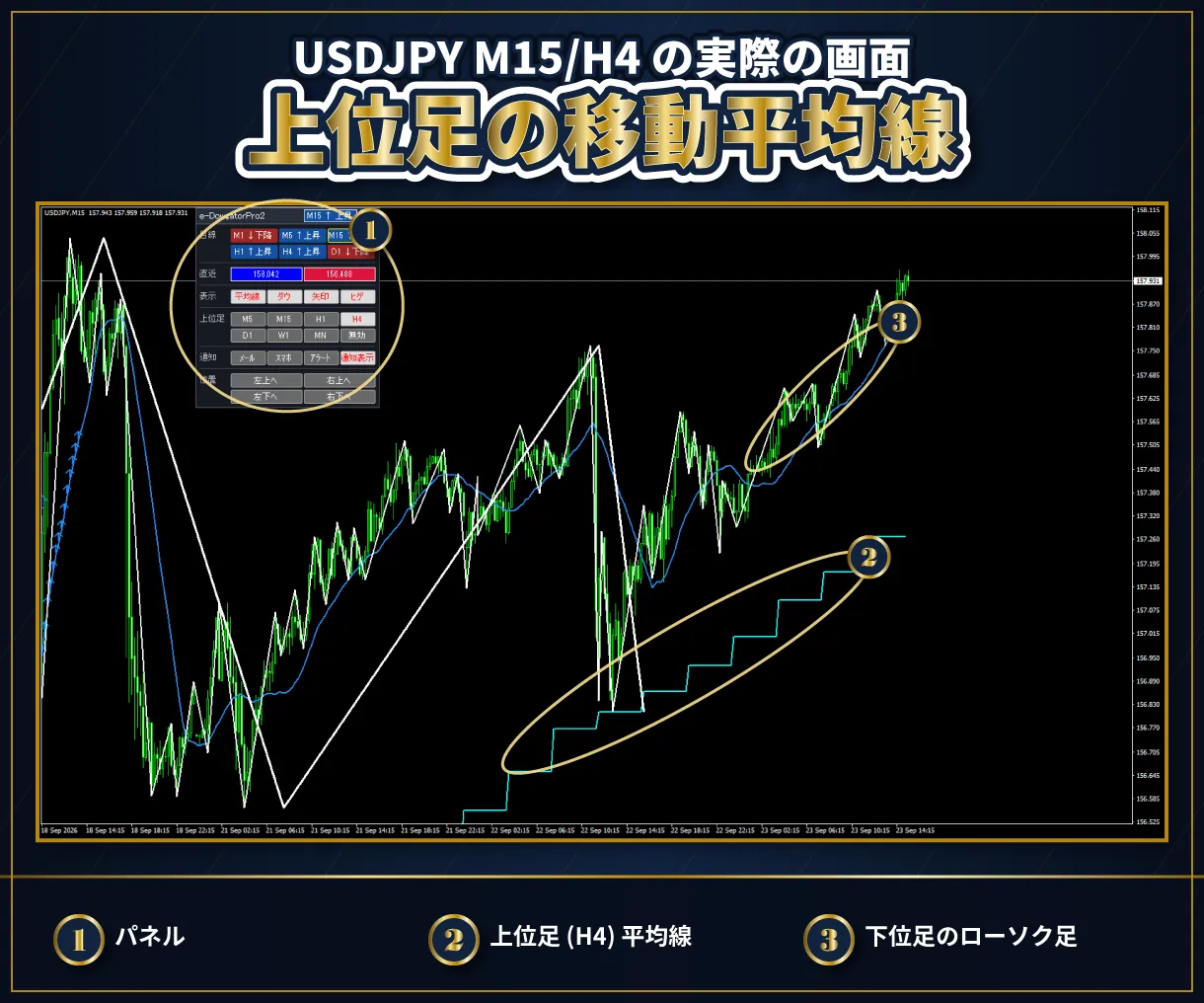
上位足の移動平均線

USDJPY M15 のチャートに、H4 の目線(水色の階段の線=上昇目線)を表示した例です。

お知らせ
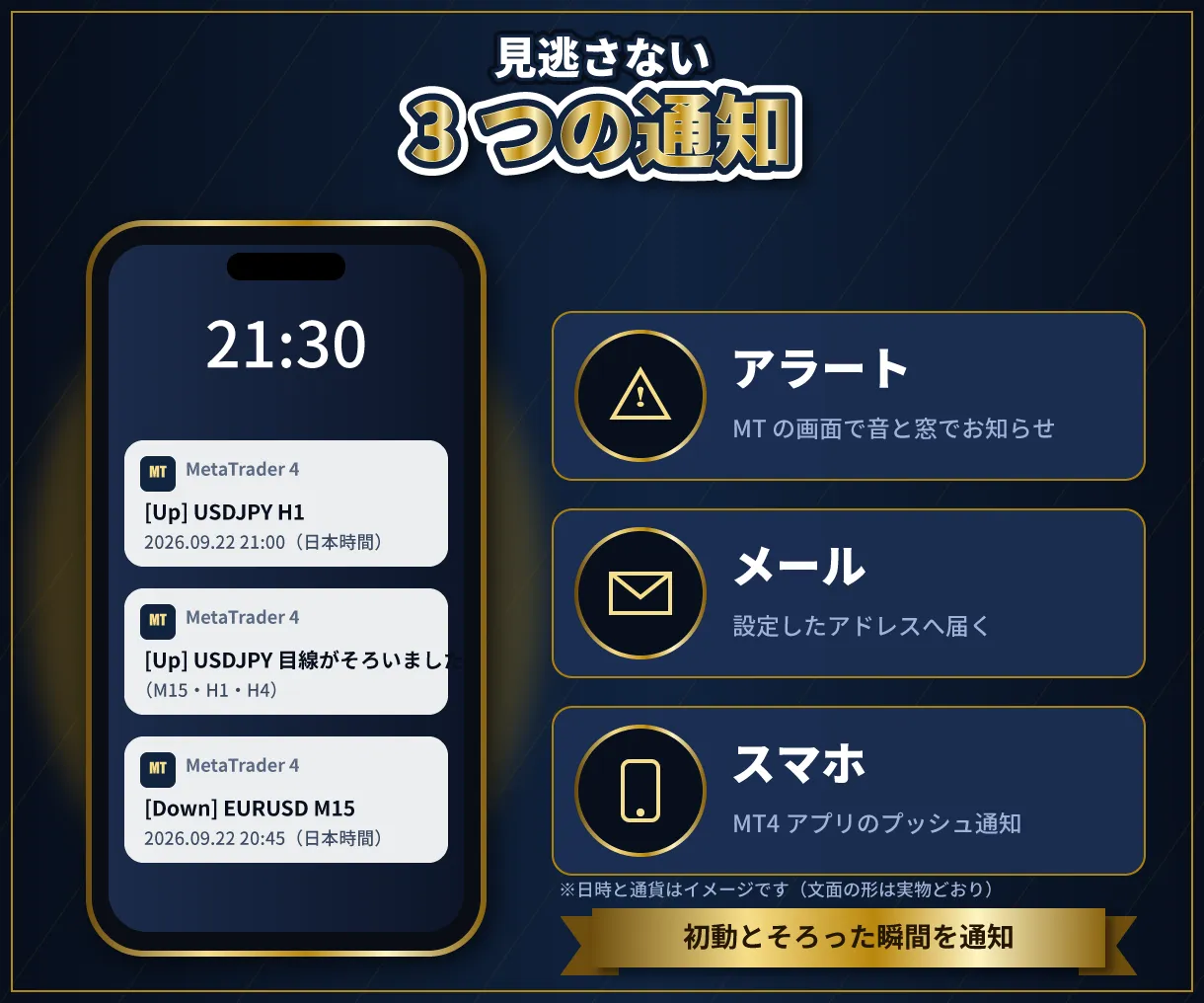
3つの通知

1本前の足で目線が反転したとき(新しい足ができた瞬間)と、選んだ時間足の目線が同じになった瞬間にお知らせします。方法はパネルのボタン(メール・スマホ・アラート)で選べます。

使い方の例

  • パネルで上位足と今の足が同じ目線のときだけ、押し目・戻りを待つ
  • 転換ラインを損切りの目安にする
  • 矢印が出ていない時間は、トレンドの乏しい相場として様子を見る

※売買の判断は、ご自身の責任で行ってください。

お届けするもの
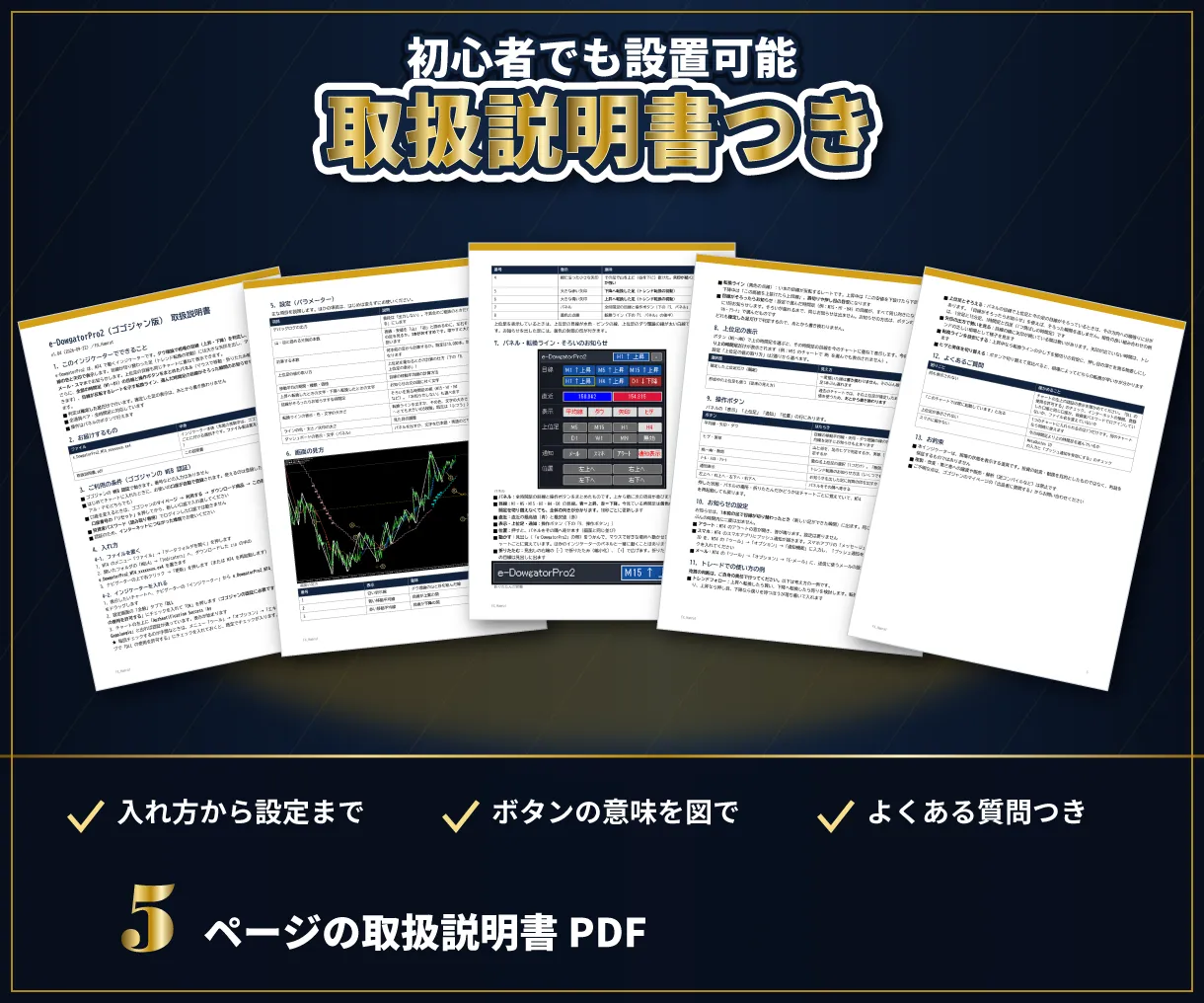
取扱説明書

  • インジケーター本体(ex4)
  • 取扱説明書(PDF・5ページ・画面つき。入れ方から設定、よくある質問まで)

ご購入から使えるまで
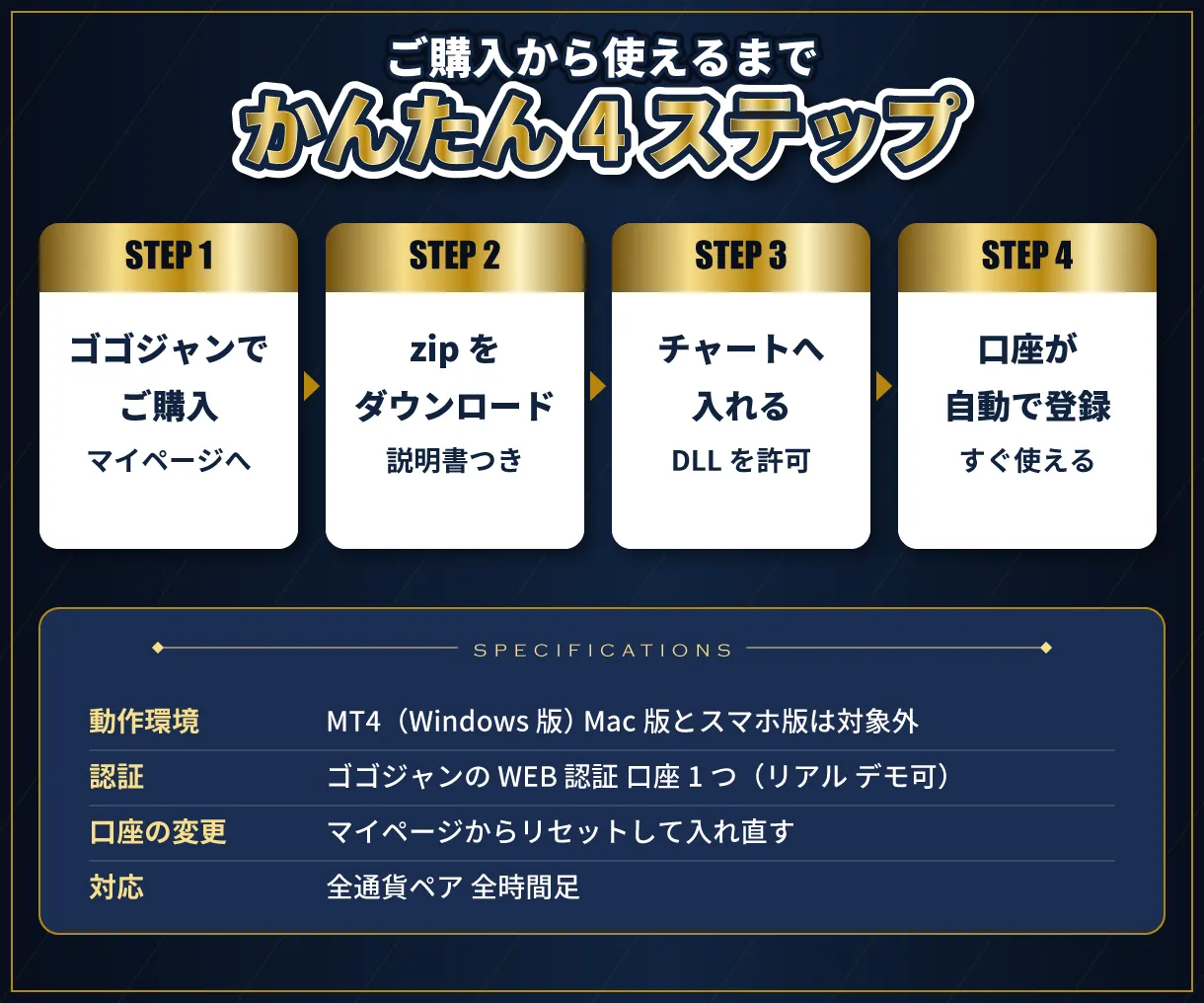
ご購入から使えるまで

  1. ゴゴジャンでご購入のあと、マイページから zip をダウンロード
  2. zip の中の本体を MT4 の「Indicators」フォルダへ置く
  3. チャートに入れ、「DLL の使用を許可する」にチェック
  4. お使いの口座が自動で登録され、表示が始まります

動作環境・ご利用の条件

  • MT4(Windows 版)専用です。Mac 版・スマホ版の MT4 では動きません
  • ゴゴジャンの WEB 認証で動きます。使えるのは登録した口座1つです(リアル・デモどちらでも)。口座の変更はマイページからできます
  • 認証のため、インターネットへの接続と「DLL の使用を許可する」のチェックが必要です
  • 投資家パスワード(読み取り専用)でログインした口座では動きません
  • ファイル名(末尾の英数字を含む)は変えないでください

バージョン情報

最新バージョン:Ver 1.05(2026年9月24日)

注意事項・免責事項

  • 本商品は、相場の状態を表示するインジケーターです。投資の助言・勧誘を目的としたものではなく、利益を保証するものではありません
  • 本商品を使って生じた損失・損害について、販売者は責任を負いかねます。投資の判断はご自身の責任で行ってください
  • 商品の性質上、ご購入後の返品・キャンセルはお受けできません
  • 複製・改変・第三者への譲渡や販売・解析は禁止します

サポート

ご不明な点は、マイページの「出品者に質問する」からお問い合わせください。更新があったときは、無料でお使いいただけます。

¥6,000 (taxed)
Provider/Distributor:
Sales site:

●Payment

Mastercard Visa JCB Bank FamilyMart D2 D1
Product outline
Product Manual
Community(0)
Best Seller Ranking

For those using GogoJungle for the first time Easy 3 steps to use the product!

At GogoJungle, we provide services to enrich your investment life for our members. In addition, product purchases are limited to members. Why not register as a member now and make use of GogoJungle!

01
Enter user information and register as a member
02
Follow the instructions to make a purchase
03
Download from My Page
■ Important Matters and Risk Warnings Regarding Investment Products 【Financial Instruments Business Operator】
GogoJungle Inc.
Registration: Director-General of the Kanto Local Finance Bureau (Financial Instruments Business) No. 1960
【Member Association】
Investment Trusts Association, Japan
【Fees and Expenses】
The use of software, e-books, investment advisory services, etc., provided on our platform involves purchase prices determined for each product.
Additionally, when conducting actual financial instrument transactions (such as FX or CFD trading), costs such as transaction fees and spreads (the difference between the sell and buy price) may be incurred through the connected brokerage firms.
【Margin and Risk of Loss】
Transactions such as FX (Foreign Exchange Margin Trading) and CFD (Contract for Difference) allow for trading in amounts exceeding the deposited margin.
Therefore, due to sudden fluctuations in target indices (currency, commodity prices, etc.), there is a risk of incurring losses that exceed the deposited margin (loss exceeding principal).
Furthermore, financial instrument transactions involve risks such as price fluctuations, which may result in losses falling below or exceeding the initial investment principal.
【Nature of Services and Trading Entity】
The Company operates a platform (marketplace) providing investment software and information; we do not engage in the buying, selling, mediation, brokerage, or agency of financial instruments on behalf of customers.
The services and information provided are intended as reference for investment decisions and do not guarantee future profits or specific results.
While some services include investment advice, they do not constitute a mandate or solicitation to trade specific financial instruments.
Final investment decisions and the execution of trades must be made at the customer’s own risk and discretion.