
Product outline
Community(0)
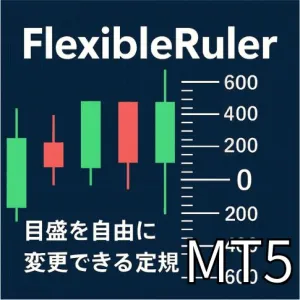
MT5用 可変ピプス定規インジケーター「FlexibleRuler」
チャート上に、自分好みのピプス間隔で目盛りを表示できる、裁量トレーダー向けの「定規」インジケーターです。 利確・損切りまでの距離、レンジの厚み、値幅感覚を一目で把握しやすくなります。
Sales Result 4 items
Reviews ★ 0.0
(0)
Keywords:
Category:
How to provide:
Indicator
Sales from:
08/17/2026
Last Updated:
-
Version:
-
Web Authentication:
Enable
Available company:


MT5用 可変ピプス定規インジケーター「FlexibleRuler」
チャート上に、自分好みのピプス間隔で目盛りを表示できる、裁量トレーダー向けの「定規」インジケーターです。
利確・損切りまでの距離、レンジの厚み、値幅感覚を一目で把握しやすくなります。
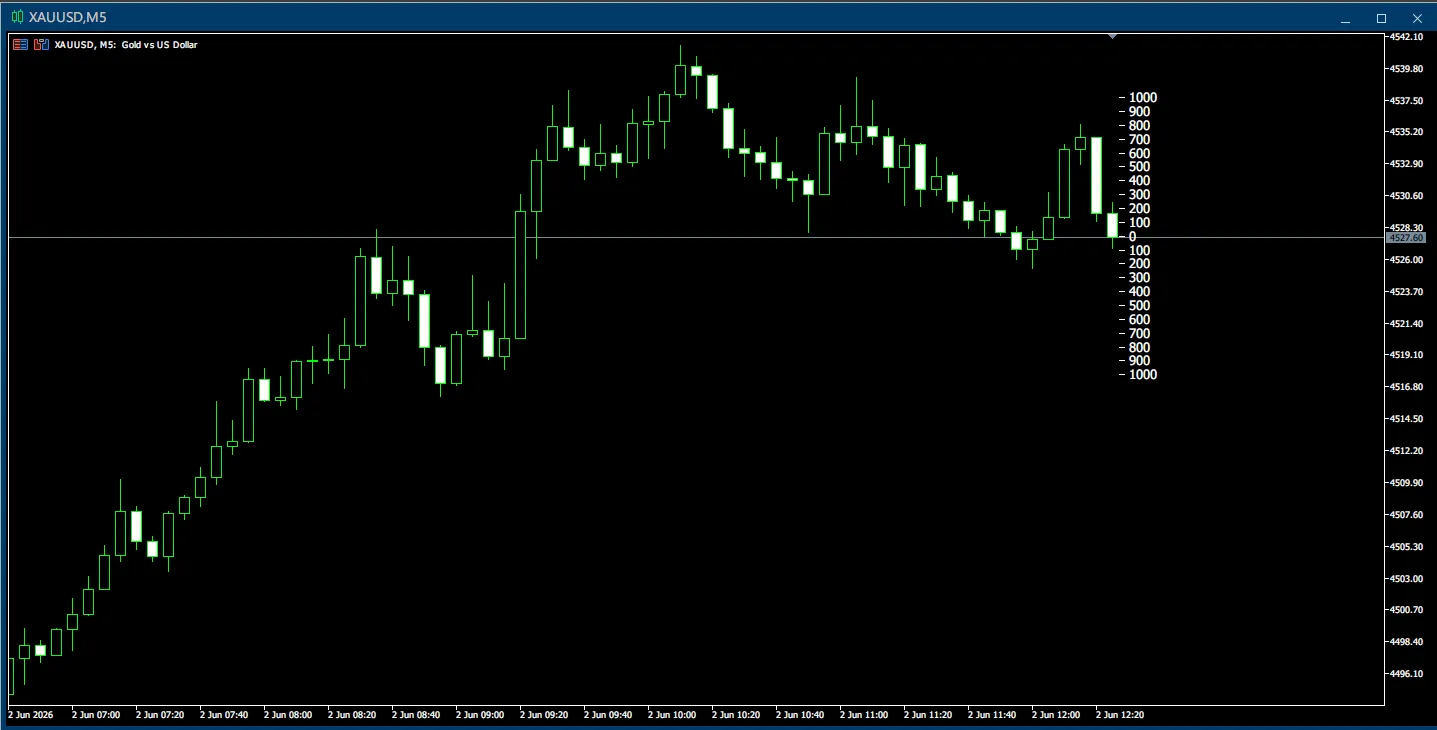
MetaTrader 5(MT5)専用です。
こんな方におすすめ
- 毎回クロスヘアやFiboを引いて「だいたい何pipsか」を確認している方
- エントリー前に、損切り・利確までの距離を素早く把握したい方
- ゴールドやCFDなど値幅の大きい銘柄で、感覚的なピプス把握をしたい方
- 検証時やスクリーンショットに、わかりやすい目盛りを表示したい方
機能概要
「FlexibleRuler」は、現在価格を基準として、上下に一定間隔のpips目盛りを表示するMT5用インジケーターです。
目盛り間隔、本数、表示位置、色、フォントサイズなどを細かくカスタマイズできるため、
ご自身のトレードスタイルに合わせた「マイ定規」としてお使いいただけます。
主な機能・特徴
1. 自由に設定できる目盛り間隔
- StepPips:1目盛りごとの間隔をpips単位で自由に設定できます。
- 例:10 / 25 / 50 / 100 / 1000 など、銘柄や時間足に合わせて変更できます。
- LevelsUp / LevelsDown:基準価格から上方向・下方向に表示する目盛り数を個別に設定できます。
2. 基準価格をBidまたは中値から選択
- UseMidPrice = false:Bidを基準価格として使用します。
- UseMidPrice = true:(Bid + Ask) / 2 の中値を基準価格として使用します。
- ShowZeroLine:基準となる「0」の表示・非表示を切り替えられます。
3. 表示位置を柔軟に調整
- AnchorAtBarsEdge = true:目盛りをローソク足の近くに表示します。
- AnchorAtBarsEdge = false:目盛りをチャート右端基準で表示します。
- BarsEdgePaddingPx / RightPaddingPx:水平方向の表示位置をピクセル単位で調整できます。
- YAdjustPx:上下方向の表示位置を微調整できます。
4. チャートに合わせて見た目をカスタマイズ
- TextColor:目盛り数字の色を変更できます。
- FontSize:目盛り数字のフォントサイズを変更できます。
- HeadDashWidthPx / HeadDashHeightPx / HeadDashGapPx / HeadDashColor:数字の左側に表示される小さな横線の長さ、太さ、間隔、色を調整できます。
5. シンプルで軽量な設計
- インジケーターバッファを使わず、チャートオブジェクトで目盛りを描画します。
- 価格の更新時と1秒ごとのタイマー処理で表示を更新します。
- インジケーターをチャートから外すと、関連する描画オブジェクトも削除されます。
パラメーター一覧
| 項目 | 内容 | 初期値 |
|---|---|---|
| StepPips | 目盛りの間隔(pips) | 1000 |
| LevelsUp | 基準価格より上方向に表示する目盛り数 | 10 |
| LevelsDown | 基準価格より下方向に表示する目盛り数 | 10 |
| UseMidPrice | 基準価格をBidまたは(Bid + Ask) / 2から選択 | false |
| RightPaddingPx | チャート右端基準で表示する場合の水平方向オフセット | 28 |
| ShowZeroLine | 基準となる「0」の表示・非表示 | true |
| TextColor | 目盛り数字の色 | White |
| FontSize | 目盛り数字のフォントサイズ | 10 |
| HeadDashWidthPx | 数字の左側に表示する横線の長さ | 6 |
| HeadDashHeightPx | 数字の左側に表示する横線の太さ | 1 |
| HeadDashGapPx | 横線と数字の間隔 | 4 |
| HeadDashColor | 数字の左側に表示する横線の色 | White |
| YAdjustPx | 上下方向の表示位置調整 | -2 |
| AnchorAtBarsEdge | 表示位置をローソク足の近く、またはチャート右端から選択 | true |
| BarsEdgePaddingPx | ローソク足の近くに表示する場合の水平方向オフセット | -16 |
使い方
- MT5のナビゲーターから、インジケーター「FlexibleRuler」をチャートへドラッグ&ドロップします。
- StepPipsとLevelsUp / LevelsDownを、お好みの値に調整します。
- 必要に応じて、UseMidPrice、AnchorAtBarsEdge、ShowZeroLineなどを調整します。
- 色やフォントサイズ、表示位置を、ご利用のチャートに合わせて整えます。
- 損切り・利確・レンジ幅・押し目・戻りの距離感を確認しながら、裁量トレードにご活用ください。
注意事項
- 本商品はMetaTrader 5(MT5)専用のインジケーターです。MetaTrader 4(MT4)ではご利用いただけません。
- 本インジケーターは値幅把握を補助する「定規」ツールです。売買シグナル、自動売買、利益を保証する機能は含まれていません。
- 表示される数値は、ご利用のブローカーや銘柄の桁数・ポイント仕様に依存します。
- 実際の取引前に、デモ口座などで表示と設定をご確認ください。
- サーバー遅延やスプレッド急拡大など、マーケット状況による影響も踏まえたうえでご利用ください。
¥1,000 (taxed)
Already 4 users using!
Provider/Distributor:
Sales site:
GogoJungle
●Payment





Product outline
Community(0)
Best Seller Ranking
For those using GogoJungle for the first time Easy 3 steps to use the product!
At GogoJungle, we provide services to enrich your investment life for our members. In addition, product purchases are limited to members. Why not register as a member now and make use of GogoJungle!
01
Enter user information and register as a member
02
Follow the instructions to make a purchase
03
Download from My Page
