
Product outline
Community(0)

MT4基本機能をショートカットキーで 【KD_BasicAddKey】
MT4の基本機能にショートカットを割り当てます
Sales Result 27 items
Reviews ★ 5.0
(1)
Category:
How to provide:
Indicator
Sales from:
11/18/2021
Last Updated:
06/23/2022
Version:
1.04
Available company:


MT4の基本機能にショートカットを割り当てます。
※こちらの商品は、通常版 です。事前に動作確認を行いたい場合は、試用版 (Trial) をお試しください。
| バージョン | 説明 | 価格 | |
|---|---|---|---|
| ▶ | 通常版 | 制限なし | 1,600円 |
| 試用版 (Trial) | 以下の制限あり ・インジケータ導入後、10分間のみ使用可能 ・デモ口座でのみ、使用可能 | 無料 |
概要
MT4の標準機能にはショートカットキーが割り当てられていないものが多くあります。本インジケータでは、基本的な機能に対して任意のショートカットキーを割り当てることが出来ます。
初心者から上級者まで、利便性向上にきっと役立ちます!
出来ること
○設定した任意のキー押下で、以下のようなことが行えます。>オブジェクト作成(ボタン押下状態にする)
(※ツールバーにボタンを表示させていなくても問題ありません。)
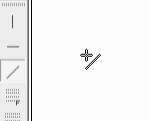
>「自動スクロール」「チャートの右端移動」のボタン押下状態の切り替え

>時間足の変更
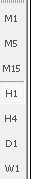
>オブジェクトの削除
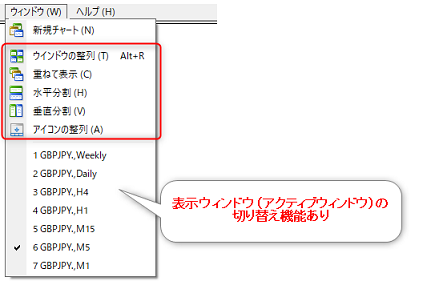
>ウィンドウの整列
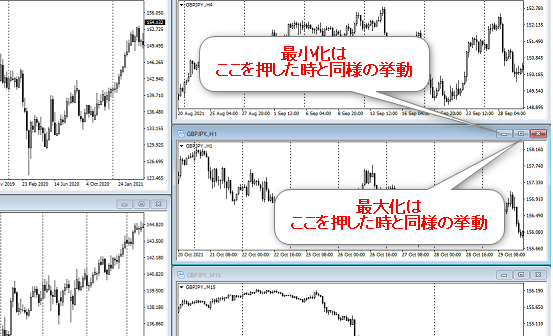
>チャートを最大化(再度同キー押下で元の大きさに戻す)
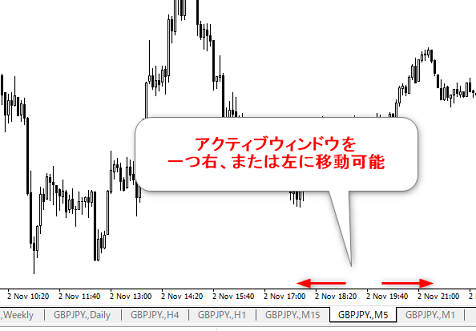
>アクティブウィンドウ(タブ)を左右に移動
>[ファイル]→[画像として保存]の押下
など
対応範囲の詳細
※標準でショートカットが割り当てられていない機能をメインとしています。(要望があれば追加するかもしれません。ご相談ください。)
○メニューバーの[挿入]から作成できる全オブジェクト
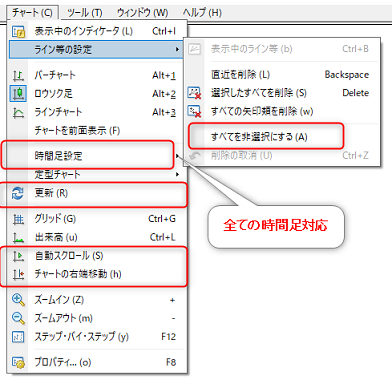
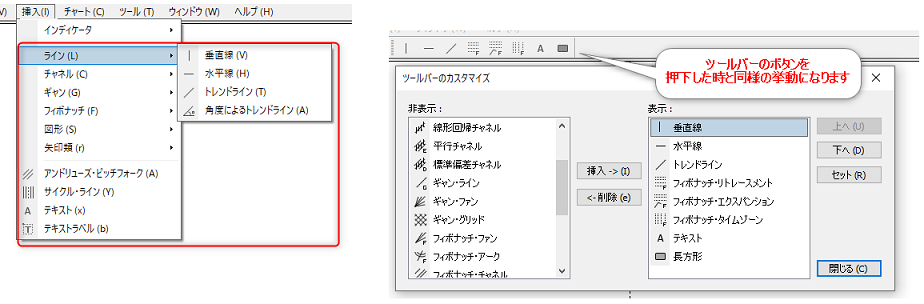 ○メニューバーの[チャート]内の一部
> 時間足設定
>「自動スクロール」、「チャートの右端移動」の切り替え
など
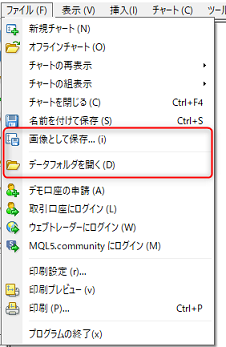
○メニューバーの[ファイル]内の「画像として保存」と「データフォルダを開く」
○メニューバーの[ウィンドウ]内の一部
※アクティブウィンドウの切り替えに対応
 ○チャートの最大化、最小化
※最大化時、最大化の設定キー再押下にて、元の大きさに戻ります。
 ○オブジェクトの削除
以下の削除方法があります。
>オブジェクトを選択状態にする→任意のキー押下で削除
(選択状態のオブジェクトが一括で消えます)
>任意のキーを長押し状態のまま、対象オブジェクトをクリック
設定できるキー
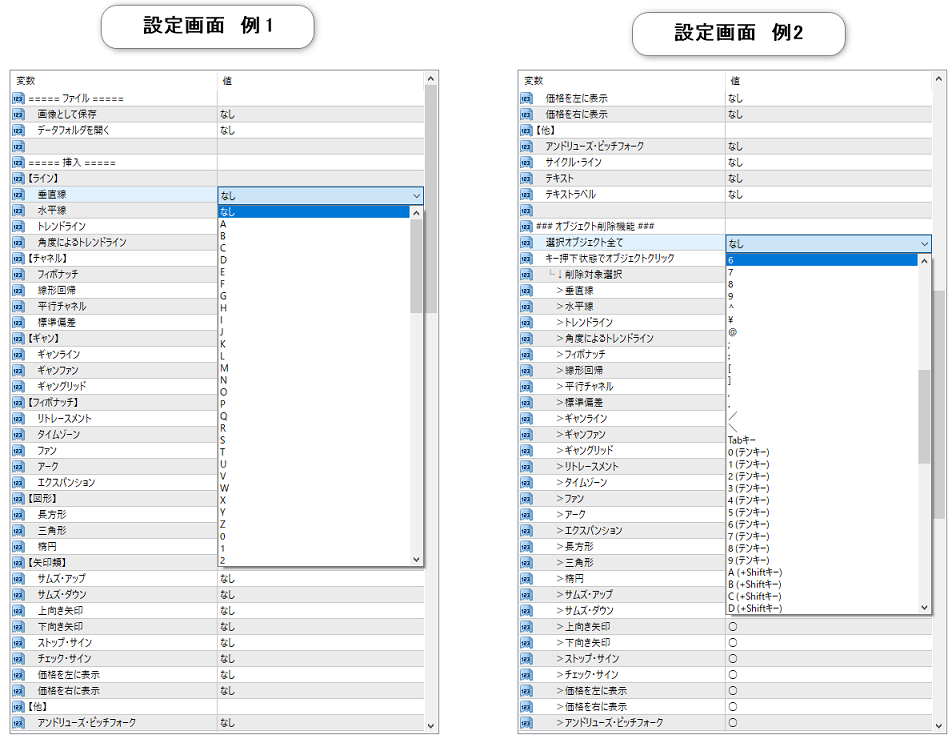
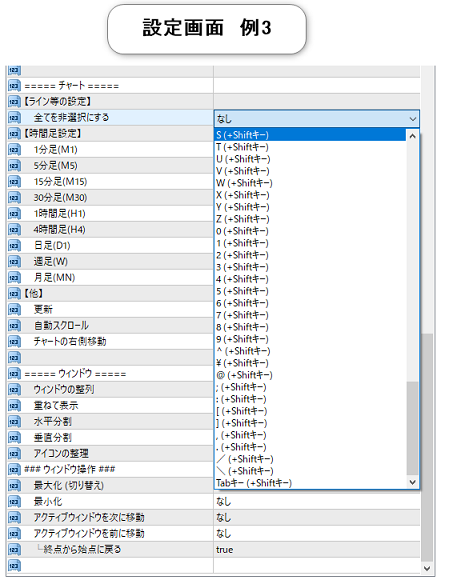
基本のキー、かつShiftキー同時押下が設定できます。※同一キーは設定できません。ただし、[A]と[A (+Shift)]は別キー扱いのため設定可能です。
動作環境
Windows11MetaTrader4 (MT4)
※Windows10でも動作可能。それ以外のOSでの動作確認はしておりません。
その他
説明書(pdf)を同梱しています。無料インジケータの紹介
本インジケータの他に、無料インジケータもいくつか作成しております。無料インジケータはGogojungleの仕様上、「出品中の商品」一覧に表示されません。
以下の記事にまとめていますので、是非ご覧ください。
→【無料インジケータ】の紹介
¥1,600 (taxed)
Already 27 users using!
Provider/Distributor:
Sales site:
GogoJungle
●Payment





Product outline
Community(0)
Best Seller Ranking
For those using GogoJungle for the first time Easy 3 steps to use the product!
At GogoJungle, we provide services to enrich your investment life for our members. In addition, product purchases are limited to members. Why not register as a member now and make use of GogoJungle!
01
Enter user information and register as a member
02
Follow the instructions to make a purchase
03
Download from My Page
