
Product outline
Community(0)
MQL Lang Tool - MQL多言語対応補助ツール
EA・インジの開発者様必見!ツールの多言語対応を補助します。
Reviews:
Category:
How to provide:
Ebooks
Sales from:
06/13/2025
Last Updated:
-
Version:
-

Free
Already 29 users using!
Provider/Distributor:
Sales site:
GogoJungle
●Payment





EA・インジケーターの開発者様必見!
あなたのツールを 多言語対応 させて、
世界中の人に使ってもらえる ようにしませんか?
本ツールを使用して多言語対応させたEA・インジケーターは、翻訳対象のテキストを表示する際に「辞書ファイル」を参照し、ユーザーの言語設定に応じて自動的にチャート上・ログの表示内容を変更させることができます。
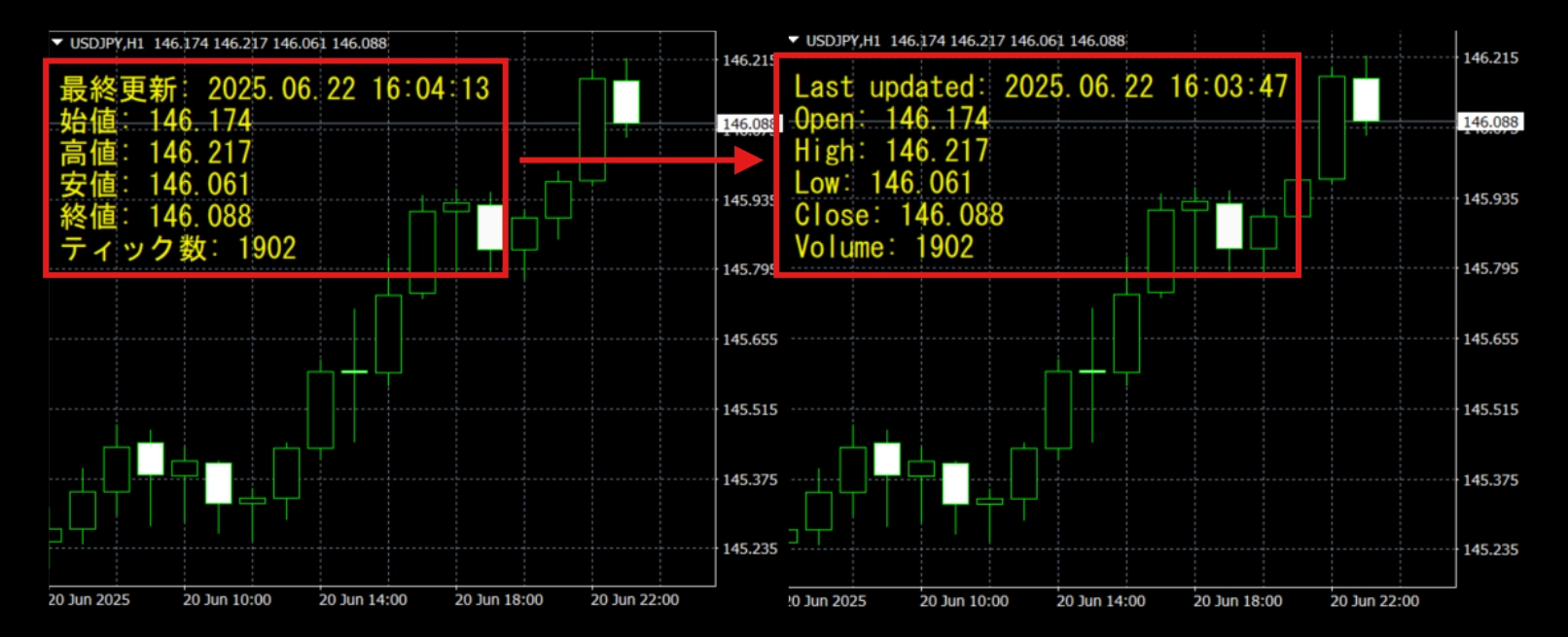
MQL Lang Toolの使い方
ツール全体の概要
MQL Lang Tool は、MT4/5の .mq4 / .mq5 ファイルを対象に、EA・インジケーターなどを多言語対応させるための開発者向けツールです。
本ツールの主な機能は次の2つです:
| タブ名 | 機能内容 |
|---|---|
| 🔄 GetText関数の適用 | 文字列に GetText() を適用し、多言語対応用の記述に変換 |
| 🔠 mqhファイルの生成 | GetText() に対応する翻訳文字列を管理・生成し、辞書ファイル( Lang_***.mqh ファイル)を出力 |
1. 🔄 GetText関数の適用
【目的】
.mq4 / .mq5 ソースファイル内の表示テキストに GetText("〜") を適用し、多言語対応用の形に変換します。
【手順】
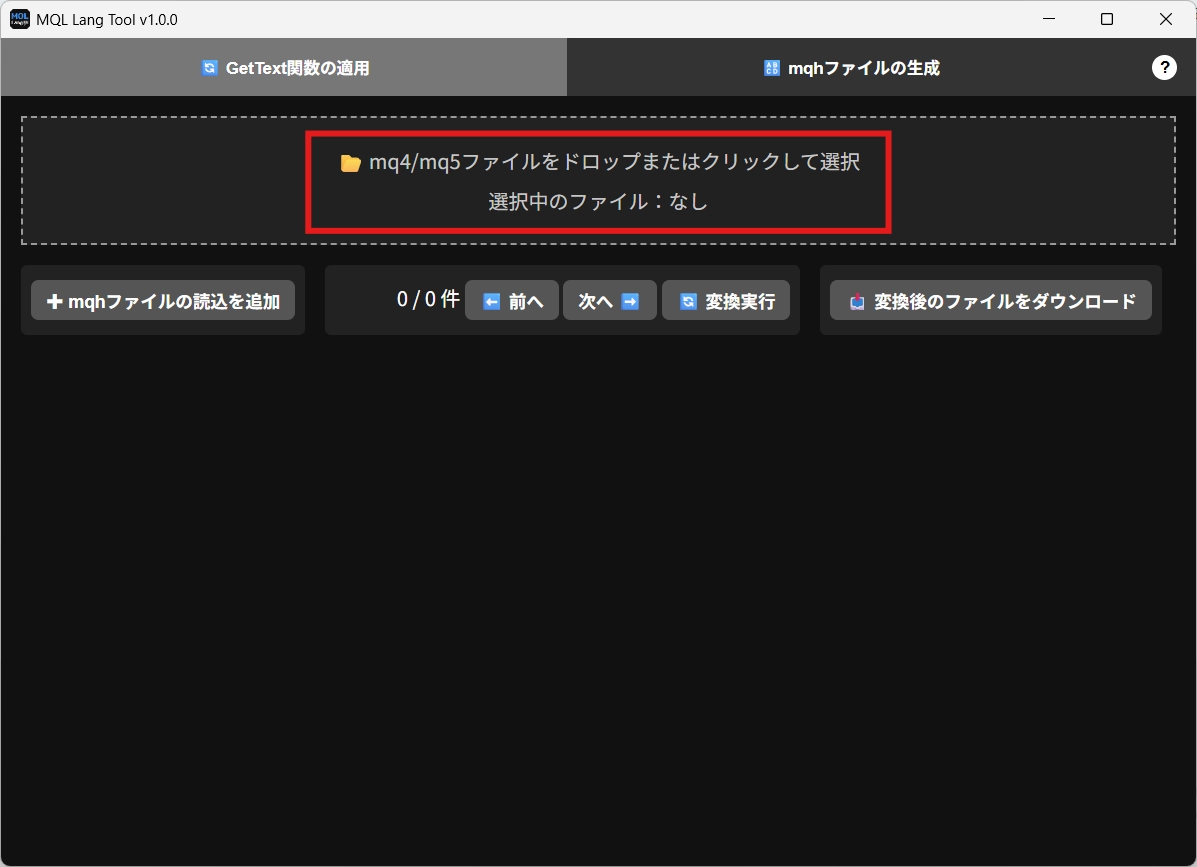
- ファイルを読み込む
-📂 mq4/mq5ファイルをドロップまたはクリックして選択に、翻訳対象の.mq4または.mq5ファイルをドロップ or 選択 - 辞書ファイルを読み込む行の追加
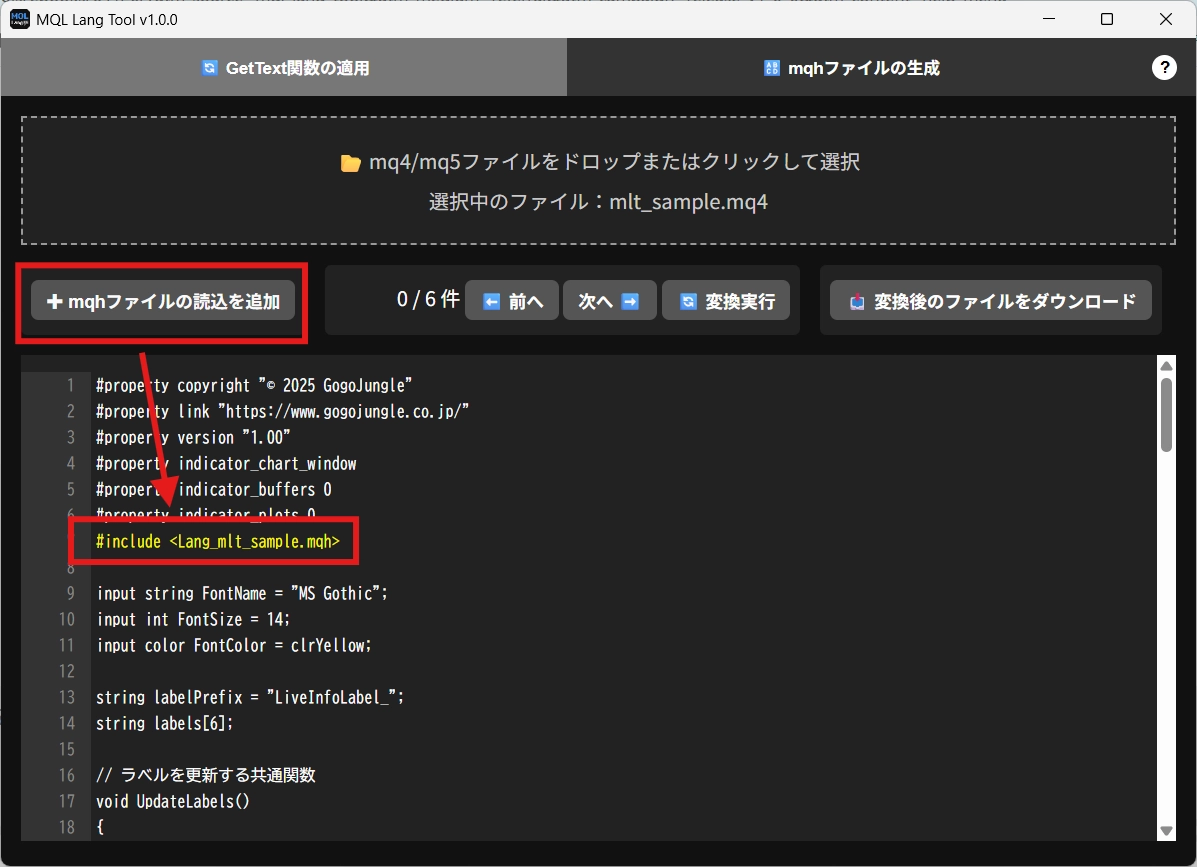
- ✚「mqhファイルの読込を追加」ボタンで、辞書ファイルを読み込むための行・#include <Lang_ファイル名.mqh>を自動挿入
- 既に同様の行がある場合は追加されません - 文字列の変換
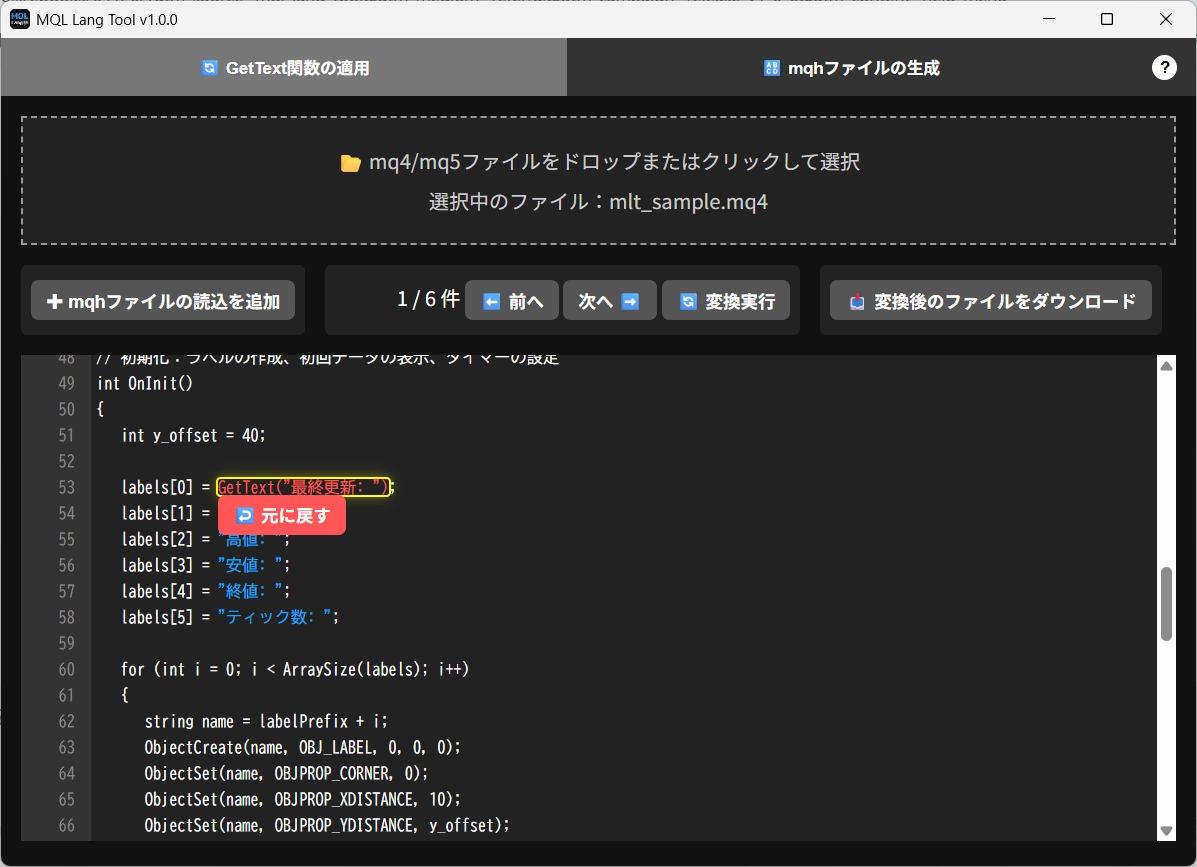
- 表示されたコード中の"文字列"をホバー
→🌐 多言語対応させるをクリックするとGetText("文字列")に変換- 既に
GetText()が使われている場合は、↩️ 元に戻すで元の"文字列"表記に戻せます - 操作の補助
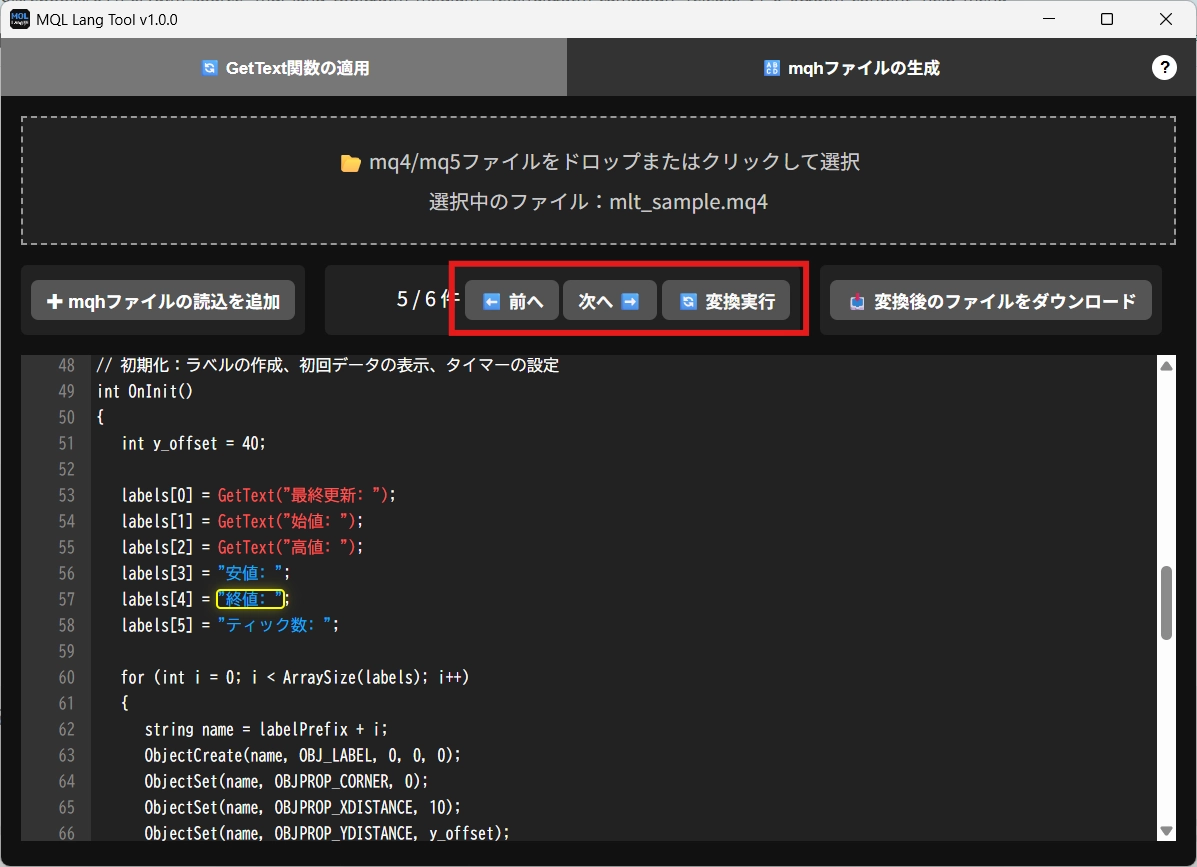
- 🔄「変換実行」:選択中の箇所を変換
- ⬅️➡️「前へ」「次へ」:対象箇所を移動 - 変換後の保存
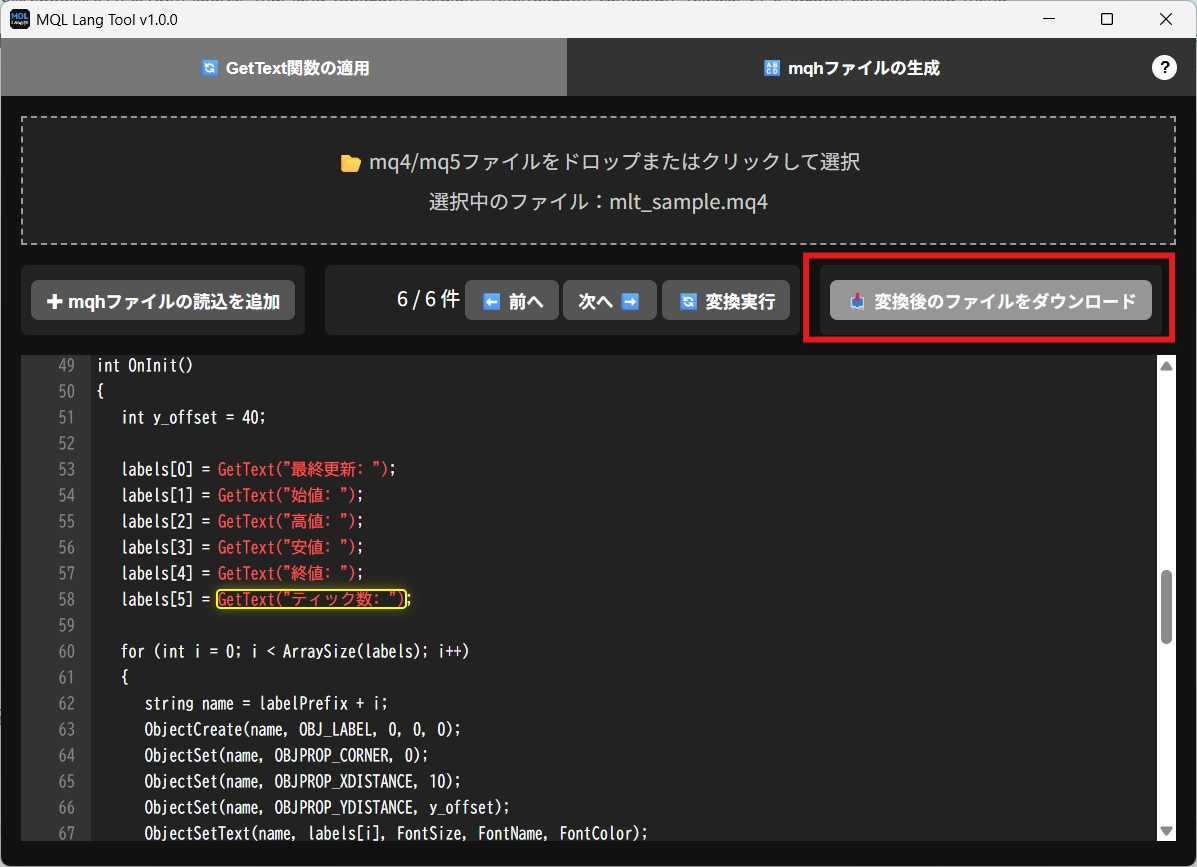
- 📥「変換後のファイルをダウンロード」で、変換された.mq4/.mq5を取得
【補足】
input,extern,#propertyの行などは自動スキップされます。- 関数内部の表示テキストだけが対象になります。
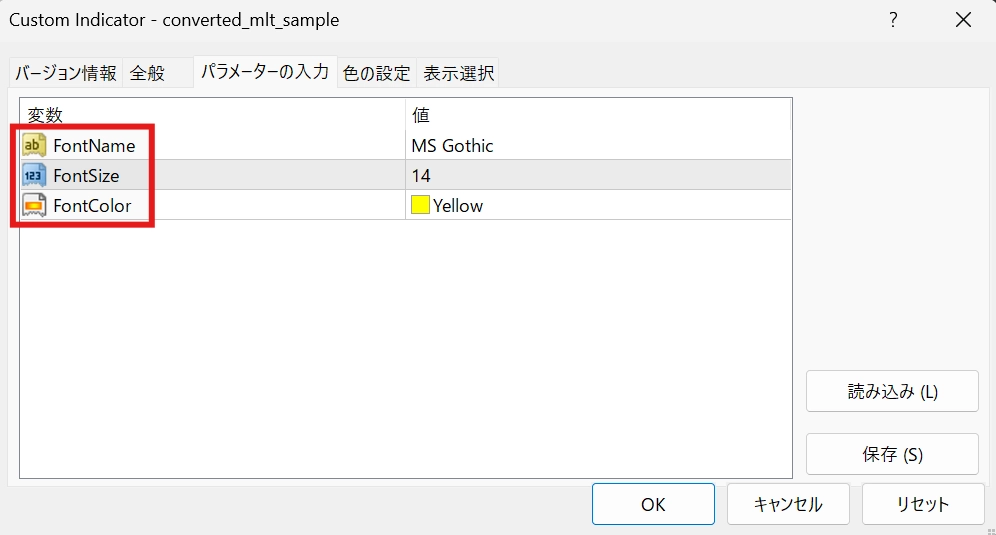
input,externで定義する入力パラメーターは、MT4/MT5自体の仕様の問題で多言語対応させることができません。パラメーター名は英語で記載しておくことをおすすめいたします。
2. 🔠 mqhファイルの生成
【目的】
GetText("KEY") に対応する翻訳テーブルを .mqh ファイル(辞書ファイル)として生成します。
【手順】
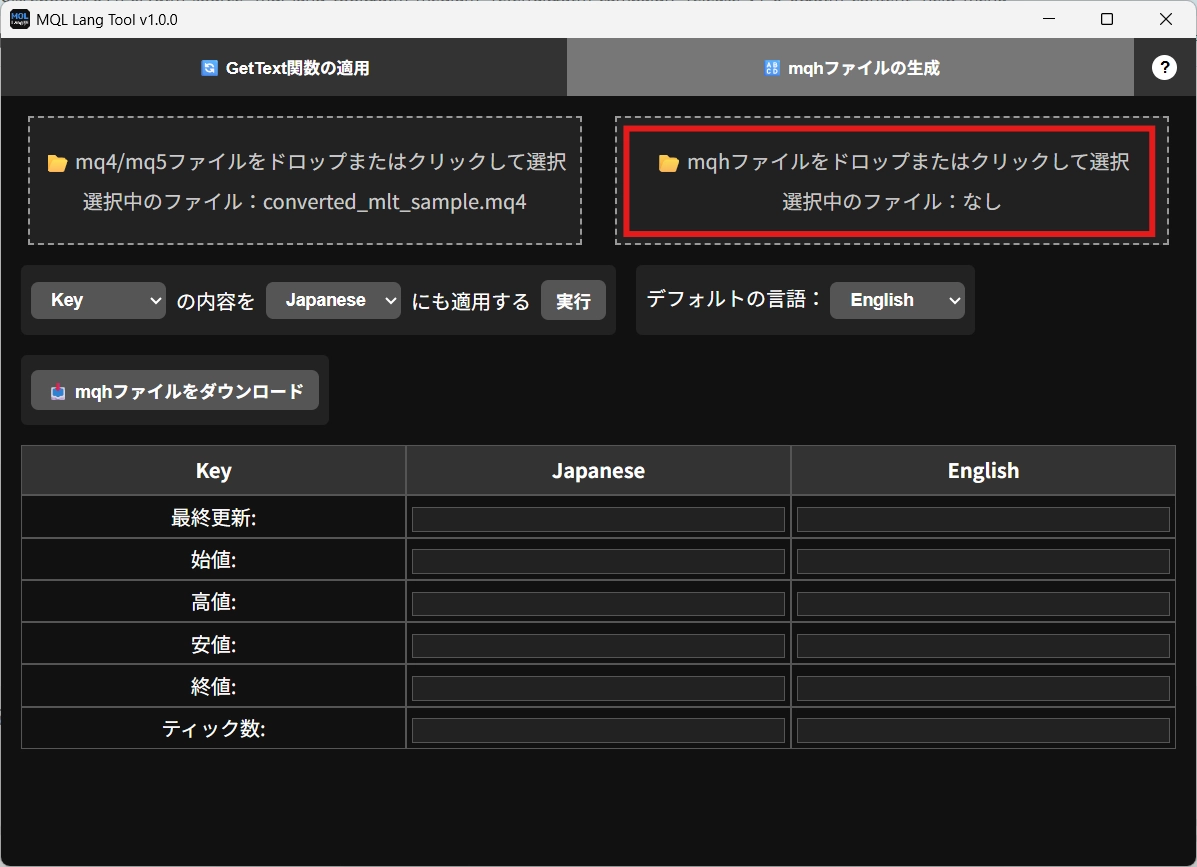
- 翻訳対象を読み込む
- 左側のドロップエリアで.mq4/.mq5ファイルを読み込むと、GetText("KEY")を自動抽出- 必要に応じて、右側のドロップエリアで既存の
Lang_***.mqhを読み込むことで、作成済の辞書ファイルの情報を引き継げます - 翻訳を入力
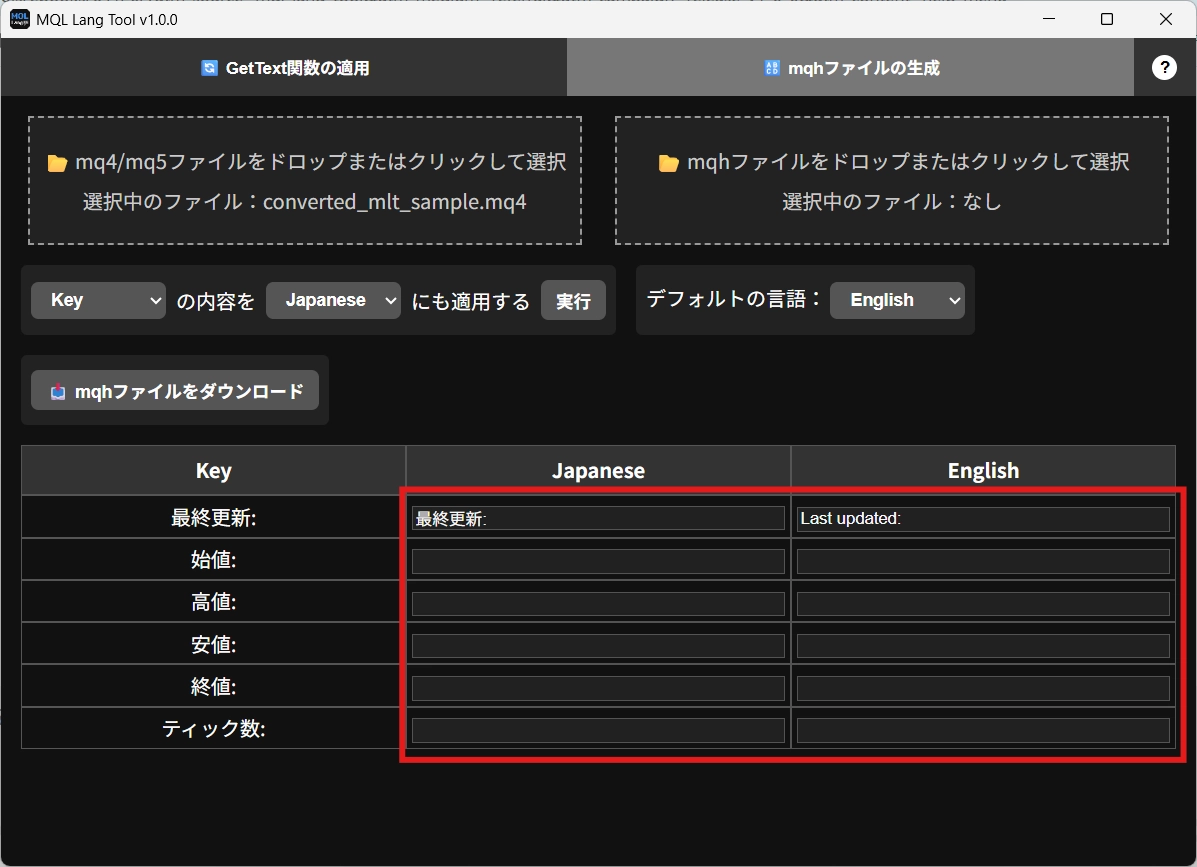
- 表形式で表示される翻訳欄に、翻訳文を入力します
- 複数行貼り付けに対応しています
- 上下左右キーでセルの移動、エンターキーで編集モードの切り替えが可能です - 補助機能の活用
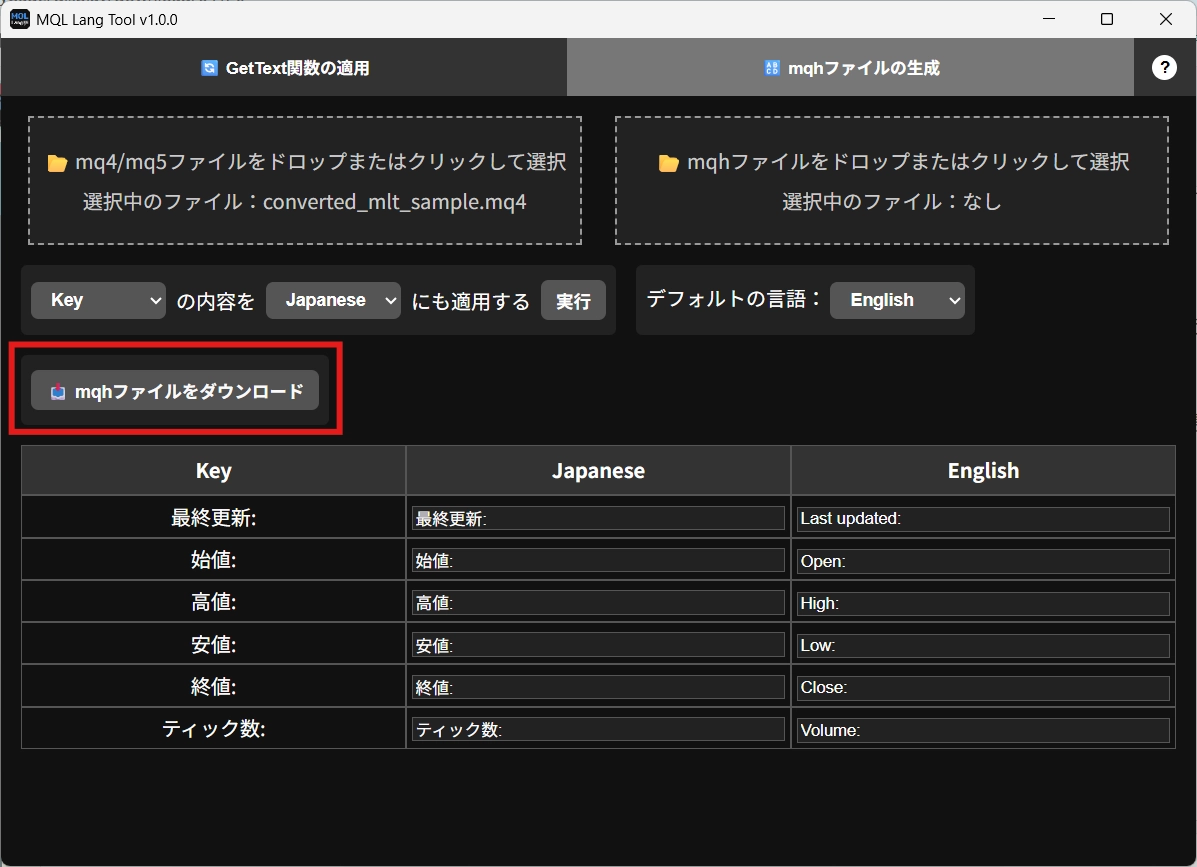
- 指定言語のコピー(例:日本語選択時のテキストとしてKeyをそのまま使う場合は Key → Japanese)- デフォルト言語の選択(「ユーザーのMT4/5の言語が日本語・英語以外の場合に使用される言語」を選択することができます)
- 保存
- 📥「mqhファイルをダウンロード」で翻訳データを.mqhファイルとして保存
【補足】
- デフォルトの言語の列に空欄がある場合はダウンロードできないようにする、操作ミス防止機能が搭載されています
3. 動作確認方法
【手順】
- ファイルの設置
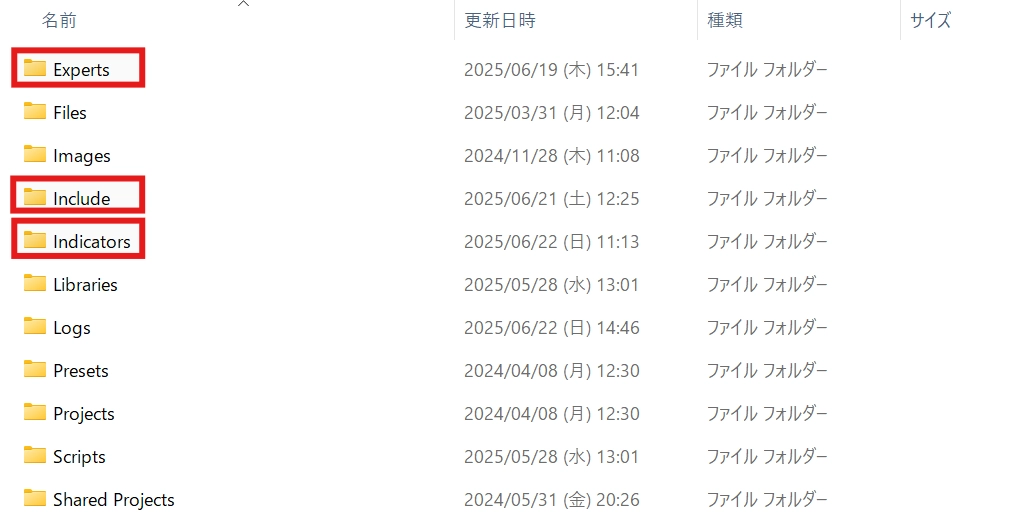
- GetText()適用後の.mq4/.mq5ファイルを、EAの場合はExpertsフォルダ、インジケーター場合はIndicatorsフォルダに設置します
- 辞書ファイルをIncludeフォルダに設置します - コンパイル
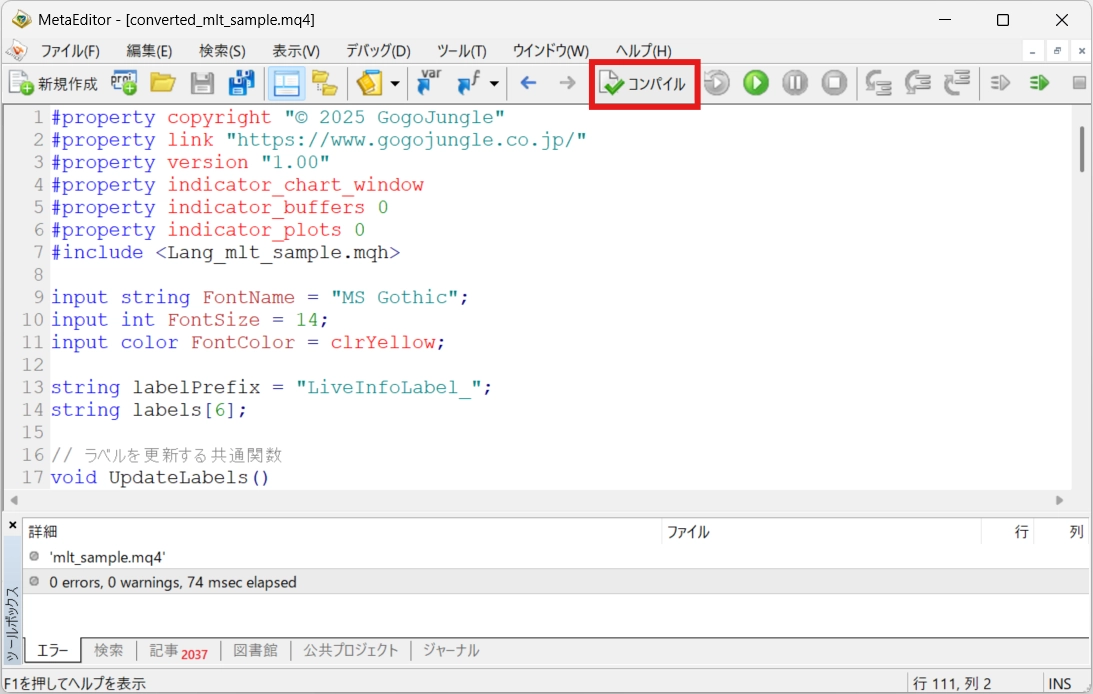
-mq4/mq5ファイルをMetaEditorで開き、「コンパイル」 ボタンを押してコンパイルします - ツールをチャートに適用
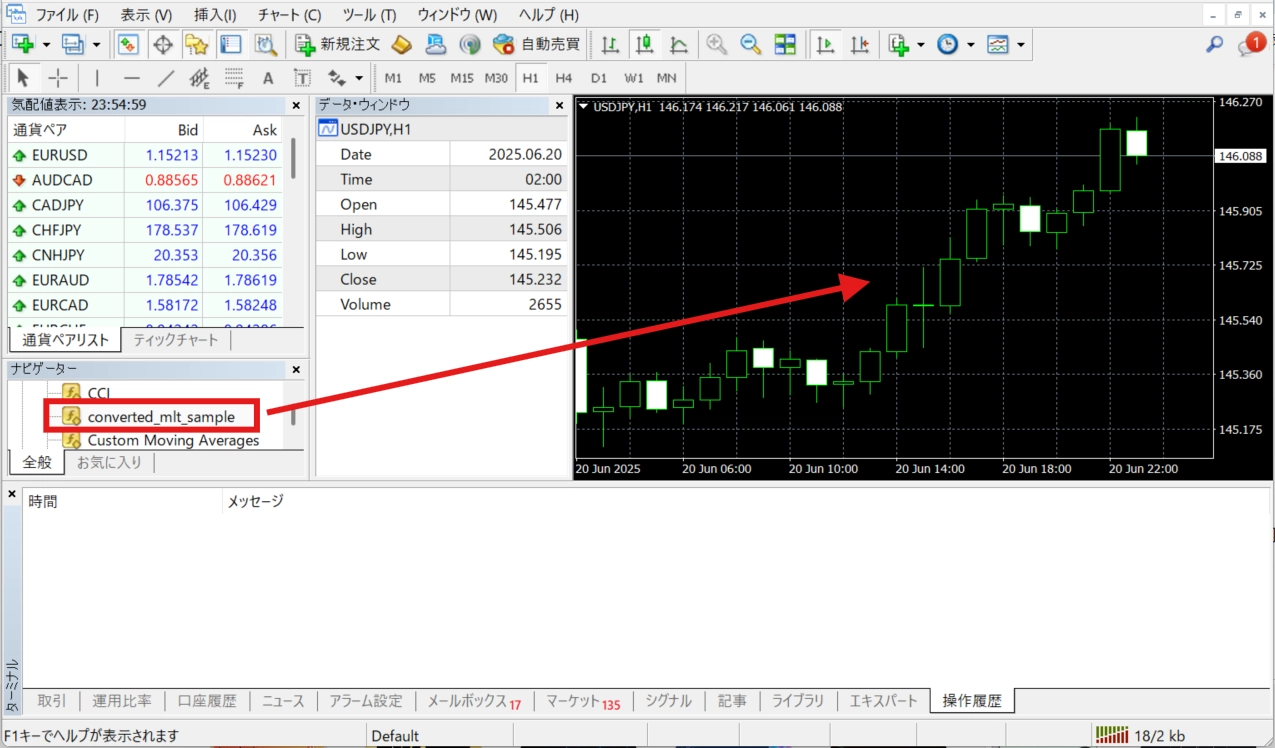
- MT4/MT5でツールをチャートにドラッグアンドドロップします - 言語設定を変更
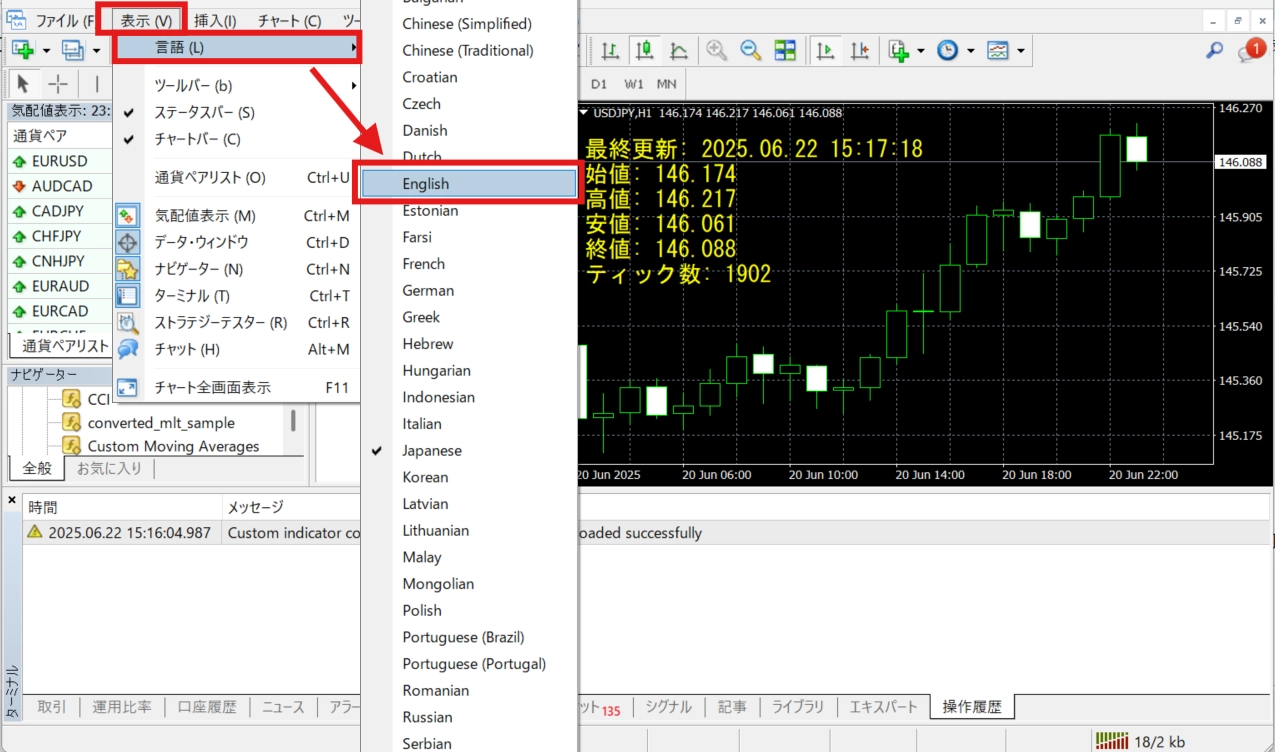
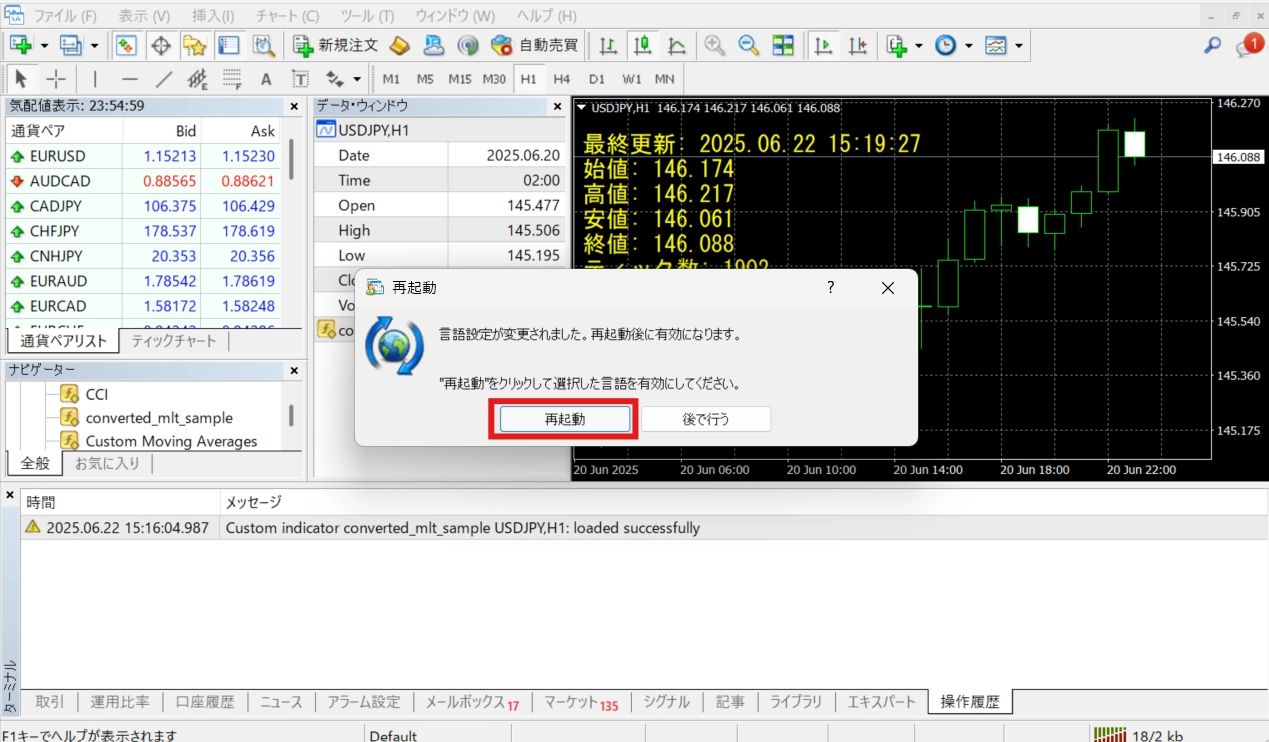
- 「表示」>「言語」から言語を変更し、MT4/5を再起動すると、辞書ファイルに登録された情報を元に表示内容が変更されます
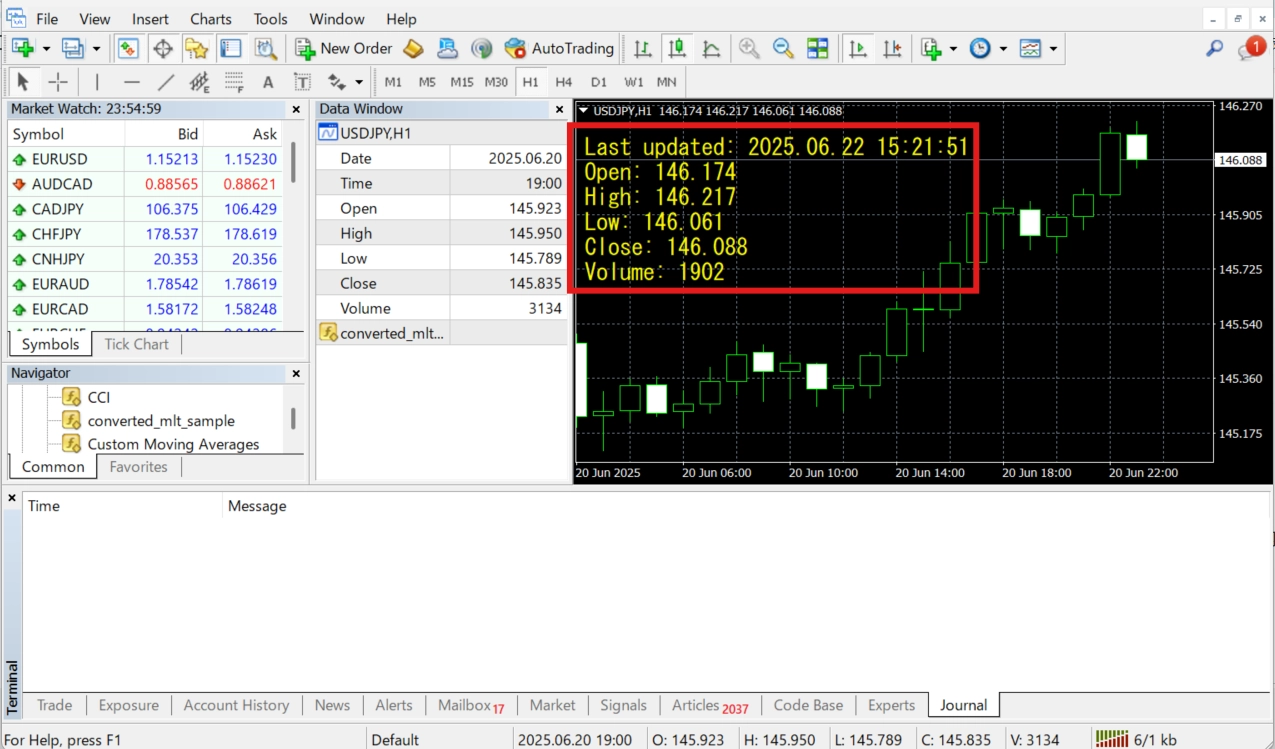
商品内容
- ツール本体(インストーラー)
- インストール手順の記載されたテキストファイル
- サンプルインジケーター2つ
動作環境
- 対応OS:Windows 10 / 11
- 対応形式:
.mq4/.mq5/.mqh input,externで定義する入力パラメーターは、MT4/MT5自体の仕様の問題で多言語対応させることができません。パラメーター名は英語で記載しておくことをおすすめいたします。
Free
Already 29 users using!
Provider/Distributor:
Sales site:
GogoJungle
●Payment
Product outline
Community(0)
Best Seller Ranking
Recommended Products (Campaigns)
For those using GogoJungle for the first time Easy 3 steps to use the product!
At GogoJungle, we provide services to enrich your investment life for our members. In addition, product purchases are limited to members. Why not register as a member now and make use of GogoJungle!
01
Enter user information and register as a member
02
Follow the instructions to make a purchase
03
Download from My Page
